Guide#guide#llm#openai-compatible
OpenAI SDK with Claude, Gemini and Kimi: what to change
By TikiAPI Team3 min read
In this post11 sections
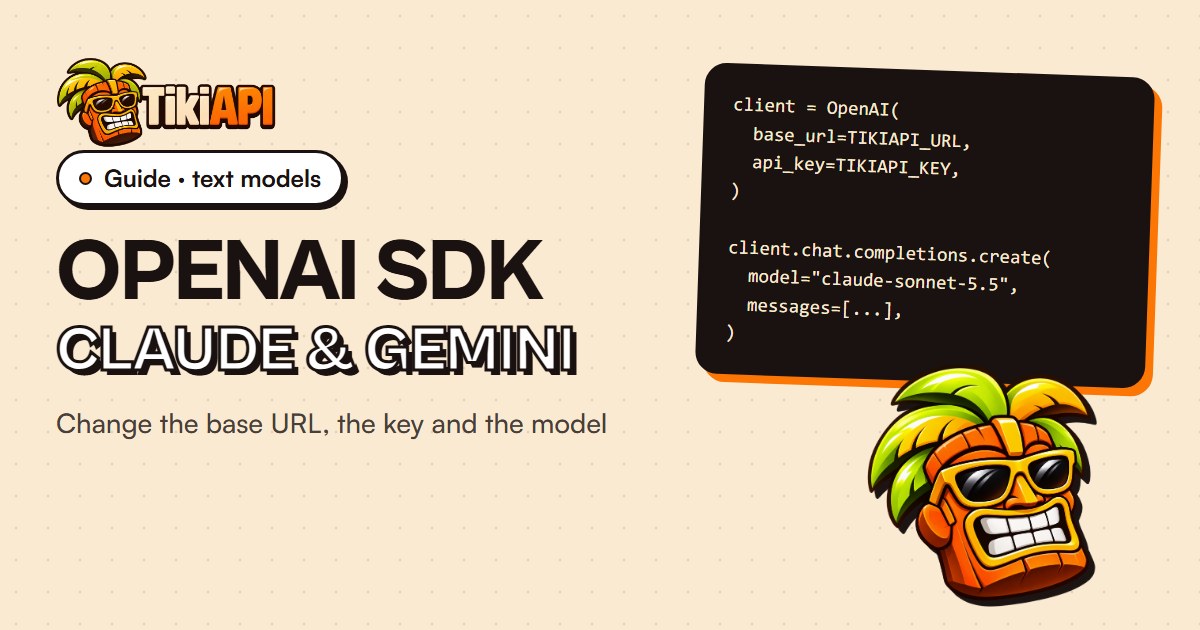
If your code already talks to OpenAI, it can talk to Claude, Gemini and Kimi as well. Our text endpoint, POST /v1/chat/completions, takes OpenAI's chat completions format. You keep the SDK and change three things.
The three changes
| What | Before | With TikiAPI |
|---|---|---|
| Base URL | https://api.openai.com/v1 | https://api.tikiapi.com/v1 |
| Key | your OpenAI key | your TikiAPI key, tk_live_… or tk_test_… |
| Model | an OpenAI model | any text model id from GET /v1/models, for example claude-sonnet-5.5 |
The rest stays the same: messages with system, user and assistant turns, max_tokens and stream. Fields like temperature, tools and response_format go to the model as you send them.
Both official SDKs also read the base URL and the key from the environment. If your code builds a plain OpenAI() client, you can switch without editing it:
export TIKIAPI_KEY="tk_test_..."
export OPENAI_BASE_URL="https://api.tikiapi.com/v1"
export OPENAI_API_KEY="$TIKIAPI_KEY"
Python
import os
from openai import OpenAI

client = OpenAI(base_url="https://api.tikiapi.com/v1", api_key=os.environ["TIKIAPI_KEY"])

reply = client.chat.completions.create(
    model="claude-sonnet-5.5",
    messages=[
        {"role": "system", "content": "Answer in one short paragraph."},
        {"role": "user", "content": "What is a webhook?"},
    ],
    max_tokens=300,
)
print(reply.choices[0].message.content)
print(reply.usage)
To ask another lab, change one string: gpt-6.1-sol, gemini-3.8-flash or kimi-k3.1-pro.
Node.js
import OpenAI from "openai";

const client = new OpenAI({ baseURL: "https://api.tikiapi.com/v1", apiKey: process.env.TIKIAPI_KEY });

const reply = await client.chat.completions.create({
  model: "gemini-3.8-flash",
  messages: [{ role: "user", content: "Turn this into JSON with name and amount: Alex Kim paid 420 for design work." }],
  max_tokens: 300,
});
console.log(reply.choices[0].message.content);
Run it on your server. The API refuses calls made from a web page (403 origin_not_allowed), so a key in a browser can't be used anyway.
curl
curl https://api.tikiapi.com/v1/chat/completions \
  -H "Authorization: Bearer $TIKIAPI_KEY" \
  -H "Content-Type: application/json" \
  -d '{
    "model": "kimi-k3.1-pro",
    "messages": [{"role": "user", "content": "Explain compound interest in two sentences."}],
    "max_tokens": 200
  }'
Streaming
Set stream to true and the answer comes as server-sent events while it is written, the same as with OpenAI:
stream = client.chat.completions.create(
    model="claude-haiku-5.5",
    messages=[{"role": "user", "content": "Write a haiku about a tiki bar."}],
    stream=True,
)
for chunk in stream:
    if chunk.choices:
        print(chunk.choices[0].delta.content or "", end="")
The if chunk.choices check keeps the loop safe if a chunk comes with an empty choices list. In Node, for await (const chunk of stream) works the same way. With curl, add -N so the output isn't buffered.
Answer length
max_tokens sets the longest answer. Without it, the answer is capped at 8,192 tokens. Each model's own ceiling is max_output_tokens in GET /v1/models. At the time of writing it is 64,000 for Claude Sonnet 5.5 and 32,000 for Kimi K3.1 Pro.
List the text models
The model list is public, so no key is needed. Text models have kind set to text:
import requests

models = requests.get("https://api.tikiapi.com/v1/models").json()["data"]
prices = {m["id"]: m["pricing"][0] for m in models if m["kind"] == "text"}
for model_id, p in prices.items():
    print(model_id, "in:", p["usd"], "out:", p["output_usd"], "per 1M tokens")
Send your key with the same request and you get the models that key can use, at your own prices. Models come and go, so read the ids here instead of hard-coding a list. The models doc shows the same table.
What a call costs
Text is priced per million tokens: usd for input and output_usd for output. Every answer has OpenAI's usage block, so you can work out what a call cost:
u = reply.usage
p = prices["claude-sonnet-5.5"]
cost = (u.prompt_tokens * float(p["usd"]) + u.completion_tokens * float(p["output_usd"])) / 1_000_000
print(f"about {cost:.6f} USD")
A call that fails costs nothing: you pay for the tokens of an answer you get. GET /v1/account shows what is left on your balance.
Live prices: Claude Sonnet 5.5, GPT-6.1 Sol, Gemini 3.8 Flash, Kimi K3.1 Pro. Next to the makers' own prices: Anthropic, OpenAI, Google, Moonshot AI.
Errors
Every error has the same JSON shape and a stable code:
{
  "error": {
    "code": "insufficient_balance",
    "message": "Your balance is too low for this order.",
    "hint": "Top up in the dashboard.",
    "retryable": false,
    "request_id": "…"
  }
}
The OpenAI SDKs turn it into their usual exceptions, with our code on them:
from openai import APIStatusError

try:
    reply = client.chat.completions.create(
        model="claude-sonnet-5.5",
        messages=[{"role": "user", "content": "Hi"}],
    )
except APIStatusError as e:
    print(e.status_code, e.code, e.body)
In Node, catch OpenAI.APIError and read err.status and err.code. The codes you will meet most:
| HTTP | code | What to do |
|---|---|---|
| 401 | invalid_api_key | Check the key and the Authorization header. |
| 402 | insufficient_balance | Top up your balance. |
| 404 | model_not_found | The id is wrong or the model is gone. Read GET /v1/models. |
| 429 | rate_limited | Wait for the seconds in Retry-After. |
| 429 | key_limit_reached | The key has hit its spending limit. |
| 503 | model_unavailable | Try again later, or use another model. |
The full list is on the errors page.
Build with a test key
A tk_test_ key is free and returns a sample answer in the same shape. Build and test the whole integration with it, then switch to a tk_live_ key. Keys and their permissions are explained in Authentication.
FAQ
Do I need the Anthropic or Google SDK for Claude or Gemini?
No. The OpenAI SDK works for every text model here: point it at https://api.tikiapi.com/v1 and use a model id from GET /v1/models.
Do tools and JSON output work?
Fields like tools, temperature and response_format go to the model as you send them. How each model follows them is up to the model.
How do I choose between two models?
Send the same prompt to both ids and compare the answers and the usage. For prices side by side, see Claude Sonnet 5.5 vs GPT-6.1 Sol and the other pages under Compare.