Webhooks for AI video: get the result without polling
By TikiAPI Team3 min read
In this post7 sections
A video takes a minute or more. Polling means asking "is it done yet?" again and again. A webhook turns it around: when an order succeeds or fails, we send a POST to your server with the whole order inside.
1. Set it up
There are two ways:
- For the whole account. Open Webhooks in the dashboard, enter your URL under Endpoint and save it. Every order of the account is then reported there. Under Signing secret, reveal and copy the secret you check signatures with.
- For one order. Add
webhook_urlto the order. It wins over the account's URL.
curl https://api.tikiapi.com/v1/generations \
  -H "Authorization: Bearer $TIKIAPI_KEY" \
  -H "Content-Type: application/json" \
  -d '{
    "model": "seedance-2.0-fast",
    "prompt": "A paper boat drifts down a rainy street",
    "duration": 5,
    "webhook_url": "https://example.com/hooks/tikiapi"
  }'
The URL must be public https on the default port, with a host name (not an IP address) and no login in it. Anything else is refused with 400 invalid_parameter when you create the order.
2. What arrives
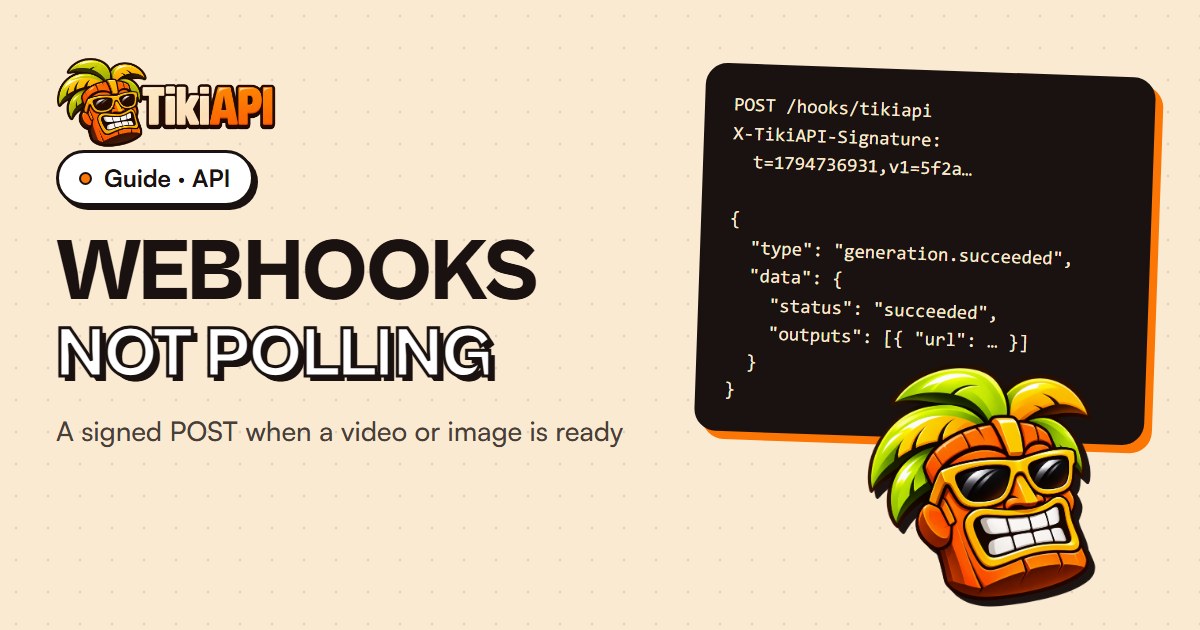
A POST with a JSON body. data is the order exactly as GET /v1/generations/{id} returns it: status, price, outputs with their links, and the error of a failed order.
{
  "id": "evt_01a1d6f2c3b44e0f9d1a7c55e2b0a913",
  "type": "generation.succeeded",
  "created_at": "2026-11-15T10:02:11.000Z",
  "data": {
    "id": "01a1d505-9092-76d6-aa18-ec5b3f2a65c6",
    "status": "succeeded",
    "outputs": [
      {
        "url": "https://cdn.tikiapi.com/api/…/video.mp4",
        "content_type": "video/mp4",
        "expires_at": "2026-12-15T10:02:11.000Z"
      }
    ]
  }
}
type | When |
|---|---|
generation.succeeded | The result is ready. Its files are kept for 30 days, until each output's expires_at. |
generation.failed | The order failed and nothing was charged. data.error says why. |
ping | Only from the "Send test event" button on the Webhooks page, to check your endpoint. Not retried. |
Every delivery also carries three headers of ours: X-TikiAPI-Event (the type), X-TikiAPI-Delivery (the event id) and X-TikiAPI-Signature.
3. Check the signature
X-TikiAPI-Signature looks like t=1794736931,v1=5f2a…: the time it was signed, in Unix seconds, and the signature. v1 is the hex HMAC-SHA256 of t, a dot and the raw body, made with your signing secret. To check it:
- Take the raw body bytes as they arrived, before any JSON parsing.
- Compute HMAC-SHA256 of
t, a dot and the body, with your secret, as hex. - Compare it with
v1in constant time, and reject events whosetis more than 5 minutes old.
Node.js with Express
import crypto from "node:crypto";
import express from "express";

const app = express();
const seen = new Set(); // in production, keep handled ids in your database

app.post("/hooks/tikiapi", express.raw({ type: "application/json" }), (req, res) => {
  const header = req.get("X-TikiAPI-Signature") ?? "";
  const { t, v1 = "" } = Object.fromEntries(header.split(",").map((p) => p.split("=")));
  const expected = crypto
    .createHmac("sha256", process.env.TIKIAPI_WEBHOOK_SECRET)
    .update(`${t}.`)
    .update(req.body) // the raw bytes
    .digest("hex");
  const fresh = Math.abs(Date.now() / 1000 - Number(t)) < 300;
  const valid =
    fresh && expected.length === v1.length && crypto.timingSafeEqual(Buffer.from(expected), Buffer.from(v1));
  if (!valid) return res.sendStatus(400);

  const event = JSON.parse(req.body);
  res.sendStatus(200); // answer first, then do the work
  if (event.type === "ping" || seen.has(event.id)) return;
  seen.add(event.id);
  handle(event);
});

function handle(event) {
  const order = event.data;
  if (event.type === "generation.succeeded") {
    console.log("ready", order.id, order.outputs[0].url); // download and store the file
  } else if (event.type === "generation.failed") {
    console.log("failed", order.id, order.error.code);
  }
}

app.listen(3000);
Keep this route above any app-wide express.json(). If the body is parsed first, the raw bytes are gone and every signature check fails.
Python with Flask
import hashlib, hmac, os, time
from flask import Flask, request, abort

app = Flask(__name__)
SECRET = os.environ["TIKIAPI_WEBHOOK_SECRET"].encode()
seen = set()  # in production, keep handled ids in your database

@app.post("/hooks/tikiapi")
def tikiapi():
    header = request.headers.get("X-TikiAPI-Signature", "")
    parts = dict(p.split("=", 1) for p in header.split(",") if "=" in p)
    t, v1 = parts.get("t", "0"), parts.get("v1", "")
    body = request.get_data()  # the raw bytes
    expected = hmac.new(SECRET, f"{t}.".encode() + body, hashlib.sha256).hexdigest()
    if not t.isdigit() or abs(time.time() - int(t)) > 300 or not hmac.compare_digest(expected, v1):
        abort(400)
    event = request.get_json()
    if event["type"] != "ping" and event["id"] not in seen:
        seen.add(event["id"])
        handle(event)  # keep it quick, or hand it to a job queue
    return "", 200
4. Answer fast, and we retry
Reply with any 2xx within 10 seconds and the event is delivered. Redirects aren't followed. Anything else, or no answer in time, is a failed try, and we try again after 1 minute, 5 minutes, 30 minutes, 2 hours, 6 hours and 12 hours: seven tries in all.
So answer first and do slow work after it, like downloading a large video. A retry carries the same event id, which is why both handlers above remember the ids they have handled and skip repeats.
The Deliveries list on the Webhooks page shows every event as Delivered, Retrying or Gave up, with the tries and your server's answers. Once your endpoint is fixed, you can resend an undelivered event from there.
5. Cases worth handling
- A late result. A result can come after an order has failed. You then get
generation.succeededfor the same order later, at no charge. Don't treatfailedas final in your database. - Canceled orders send nothing: you canceled them.
- Test keys send events too, so you can build the whole flow for free. A test order with the word
failin the prompt fails on purpose, so you can test thegeneration.failedpath. - The ping from "Send test event" has
datawith youraccount_idonly. Answer it with200and ignore it. - The files. Download what you want to keep: a link stops working at its
expires_at. - A leaked secret. "Roll the secret" on the Webhooks page makes a new one.
Keep a fallback
Webhooks don't replace the API. If your server was down through every retry, GET /v1/generations/{id} still returns the order, and GET /v1/generations?limit=20 lists your latest ones, newest first. The full reference is in the webhooks docs and in Generations.
FAQ
Do image orders send webhooks too?
Yes. Every order of the account is reported, whatever it makes: video, images, songs or sound effects.
What happens if my endpoint is down?
We try seven times in all, the last one 12 hours after the try before it. Each try is listed on the Webhooks page, and you can resend an event from there.
Can each order go to a different URL?
Yes. Give the order its own webhook_url; it wins over the account's endpoint.