# TikiAPI blog
> Every published post on https://tikiapi.com/blog, newest first. Prices in posts link to the live price list: https://tikiapi.com/pricing.
---
title: "Webhooks for AI video: get the result without polling"
kind: guide
date: 2026-11-24T14:00:00.000Z
updated: 2026-11-24T14:00:00.000Z
author: "TikiAPI Team"
summary: "Get a signed POST when your AI video or image is ready, instead of polling. Setup, what the event holds, the signature check in Node and Python, retries."
url: https://tikiapi.com/blog/webhooks-for-ai-video-generation
tags: ["guide", "api", "webhooks"]
image: https://cdn.tikiapi.com/blog/2026/11/webhooks-for-ai-video-generation-cover-site.jpg
---
# Webhooks for AI video: get the result without polling
A video takes a minute or more. Polling means asking "is it done yet?" again and again. A webhook turns it around: when an order succeeds or fails, we send a `POST` to your server with the whole order inside.
## 1. Set it up
There are two ways:
- **For the whole account.** Open [Webhooks](https://tikiapi.com/dashboard/webhooks) in the dashboard, enter your URL under Endpoint and save it. Every order of the account is then reported there. Under Signing secret, reveal and copy the secret you check signatures with.
- **For one order.** Add `webhook_url` to the order. It wins over the account's URL.
```bash
curl https://api.tikiapi.com/v1/generations \
-H "Authorization: Bearer $TIKIAPI_KEY" \
-H "Content-Type: application/json" \
-d '{
"model": "seedance-2.0-fast",
"prompt": "A paper boat drifts down a rainy street",
"duration": 5,
"webhook_url": "https://example.com/hooks/tikiapi"
}'
```
The URL must be public `https` on the default port, with a host name (not an IP address) and no login in it. Anything else is refused with `400 invalid_parameter` when you create the order.
## 2. What arrives
A `POST` with a JSON body. `data` is the order exactly as `GET /v1/generations/{id}` returns it: status, price, outputs with their links, and the error of a failed order.
```json
{
"id": "evt_01a1d6f2c3b44e0f9d1a7c55e2b0a913",
"type": "generation.succeeded",
"created_at": "2026-11-15T10:02:11.000Z",
"data": {
"id": "01a1d505-9092-76d6-aa18-ec5b3f2a65c6",
"status": "succeeded",
"outputs": [
{
"url": "https://cdn.tikiapi.com/api/…/video.mp4",
"content_type": "video/mp4",
"expires_at": "2026-12-15T10:02:11.000Z"
}
]
}
}
```
| `type` | When |
|---|---|
| `generation.succeeded` | The result is ready. Its files are kept for 30 days, until each output's `expires_at`. |
| `generation.failed` | The order failed and nothing was charged. `data.error` says why. |
| `ping` | Only from the "Send test event" button on the Webhooks page, to check your endpoint. Not retried. |
Every delivery also carries three headers of ours: `X-TikiAPI-Event` (the `type`), `X-TikiAPI-Delivery` (the event `id`) and `X-TikiAPI-Signature`.
## 3. Check the signature
`X-TikiAPI-Signature` looks like `t=1794736931,v1=5f2a…`: the time it was signed, in Unix seconds, and the signature. `v1` is the hex HMAC-SHA256 of `t`, a dot and the raw body, made with your signing secret. To check it:
1. Take the raw body bytes as they arrived, before any JSON parsing.
2. Compute HMAC-SHA256 of `t`, a dot and the body, with your secret, as hex.
3. Compare it with `v1` in constant time, and reject events whose `t` is more than 5 minutes old.
### Node.js with Express
```js
import crypto from "node:crypto";
import express from "express";
const app = express();
const seen = new Set(); // in production, keep handled ids in your database
app.post("/hooks/tikiapi", express.raw({ type: "application/json" }), (req, res) => {
const header = req.get("X-TikiAPI-Signature") ?? "";
const { t, v1 = "" } = Object.fromEntries(header.split(",").map((p) => p.split("=")));
const expected = crypto
.createHmac("sha256", process.env.TIKIAPI_WEBHOOK_SECRET)
.update(`${t}.`)
.update(req.body) // the raw bytes
.digest("hex");
const fresh = Math.abs(Date.now() / 1000 - Number(t)) < 300;
const valid =
fresh && expected.length === v1.length && crypto.timingSafeEqual(Buffer.from(expected), Buffer.from(v1));
if (!valid) return res.sendStatus(400);
const event = JSON.parse(req.body);
res.sendStatus(200); // answer first, then do the work
if (event.type === "ping" || seen.has(event.id)) return;
seen.add(event.id);
handle(event);
});
function handle(event) {
const order = event.data;
if (event.type === "generation.succeeded") {
console.log("ready", order.id, order.outputs[0].url); // download and store the file
} else if (event.type === "generation.failed") {
console.log("failed", order.id, order.error.code);
}
}
app.listen(3000);
```
Keep this route above any app-wide `express.json()`. If the body is parsed first, the raw bytes are gone and every signature check fails.
### Python with Flask
```python
import hashlib, hmac, os, time
from flask import Flask, request, abort
app = Flask(__name__)
SECRET = os.environ["TIKIAPI_WEBHOOK_SECRET"].encode()
seen = set() # in production, keep handled ids in your database
@app.post("/hooks/tikiapi")
def tikiapi():
header = request.headers.get("X-TikiAPI-Signature", "")
parts = dict(p.split("=", 1) for p in header.split(",") if "=" in p)
t, v1 = parts.get("t", "0"), parts.get("v1", "")
body = request.get_data() # the raw bytes
expected = hmac.new(SECRET, f"{t}.".encode() + body, hashlib.sha256).hexdigest()
if not t.isdigit() or abs(time.time() - int(t)) > 300 or not hmac.compare_digest(expected, v1):
abort(400)
event = request.get_json()
if event["type"] != "ping" and event["id"] not in seen:
seen.add(event["id"])
handle(event) # keep it quick, or hand it to a job queue
return "", 200
```
## 4. Answer fast, and we retry
Reply with any `2xx` within 10 seconds and the event is delivered. Redirects aren't followed. Anything else, or no answer in time, is a failed try, and we try again after 1 minute, 5 minutes, 30 minutes, 2 hours, 6 hours and 12 hours: seven tries in all.
So answer first and do slow work after it, like downloading a large video. A retry carries the same event `id`, which is why both handlers above remember the ids they have handled and skip repeats.
The Deliveries list on the Webhooks page shows every event as Delivered, Retrying or Gave up, with the tries and your server's answers. Once your endpoint is fixed, you can resend an undelivered event from there.
## 5. Cases worth handling
- **A late result.** A result can come after an order has failed. You then get `generation.succeeded` for the same order later, at no charge. Don't treat `failed` as final in your database.
- **Canceled orders** send nothing: you canceled them.
- **Test keys** send events too, so you can build the whole flow for free. A test order with the word `fail` in the prompt fails on purpose, so you can test the `generation.failed` path.
- **The ping** from "Send test event" has `data` with your `account_id` only. Answer it with `200` and ignore it.
- **The files.** Download what you want to keep: a link stops working at its `expires_at`.
- **A leaked secret.** "Roll the secret" on the Webhooks page makes a new one.
## Keep a fallback
Webhooks don't replace the API. If your server was down through every retry, `GET /v1/generations/{id}` still returns the order, and `GET /v1/generations?limit=20` lists your latest ones, newest first. The full reference is in the [webhooks docs](https://tikiapi.com/docs/webhooks) and in [Generations](https://tikiapi.com/docs/generations#wait).
## FAQ
### Do image orders send webhooks too?
Yes. Every order of the account is reported, whatever it makes: video, images, songs or sound effects.
### What happens if my endpoint is down?
We try seven times in all, the last one 12 hours after the try before it. Each try is listed on the Webhooks page, and you can resend an event from there.
### Can each order go to a different URL?
Yes. Give the order its own `webhook_url`; it wins over the account's endpoint.
---
title: "Which AI image model to use: a guide by job"
kind: guide
date: 2026-11-23T14:00:00.000Z
updated: 2026-11-23T14:00:00.000Z
author: "TikiAPI Team"
summary: "Nano Banana, GPT Image 2.6 or Seedream 5.0? Pick an AI image model by size, shape, reference images, text and speed. Facts table and makers' own claims."
url: https://tikiapi.com/blog/which-ai-image-model
tags: ["guide", "images", "comparison"]
image: https://cdn.tikiapi.com/blog/2026/11/which-ai-image-model-cover-site.jpg
---
# Which AI image model to use: a guide by job
Six image models from three makers are on TikiAPI at the time of writing. Every one is ordered with `POST /v1/generations` and the same fields, so trying another one is a change of `model`.
## The facts
| Model | Maker | Sizes | Aspect ratios | Reference images | Price |
|---|---|---|---|---|---|
| Nano Banana Pro | Google | 1K, 2K, 4K | 10 | up to 8 | [live price](https://tikiapi.com/models/nano-banana-pro) |
| Nano Banana 2 | Google | 1K, 2K, 4K | 10 | up to 8 | [live price](https://tikiapi.com/models/nano-banana-2) |
| GPT Image 2.6 Sunburst | OpenAI | 1K, 2K, 4K | 15 | up to 16 | [live price](https://tikiapi.com/models/gpt-image-2-6-sunburst) |
| GPT Image 2.6 Flare | OpenAI | 1K, 2K, 4K | 15 | up to 16 | [live price](https://tikiapi.com/models/gpt-image-2-6-flare) |
| Seedream 5.0 Pro | ByteDance | 1K, 2K | 8 | up to 8 | [live price](https://tikiapi.com/models/seedream-5-0-pro) |
| Seedream 5.0 Flash | ByteDance | 1K, 2K | 8 | up to 10 | [live price](https://tikiapi.com/models/seedream-5-0-flash) |
These are the numbers at the time of writing. The live ones are in [GET /v1/models](https://tikiapi.com/docs/models#image): `resolutions`, `aspect_ratios` and `max_reference_images`. Every model is priced per picture, by size.
The shapes differ more than the table shows:
- **Nano Banana Pro and 2:** 1:1, 2:3, 3:2, 3:4, 4:3, 4:5, 5:4, 9:16, 16:9, 21:9.
- **GPT Image 2.6 Sunburst and Flare:** all of those, plus 9:21, 1:2, 2:1, 1:3 and 3:1.
- **Seedream 5.0 Pro and Flash:** 1:1, 4:3, 3:4, 16:9, 9:16, 3:2, 2:3, 21:9. No 4:5.
## What the makers say
We don't rank these models ourselves. Below are the makers' own words, with links.
- **Nano Banana Pro.** Google: ["the best model for creating images with correctly rendered and legible text directly in the image"](https://blog.google/technology/ai/nano-banana-pro/), with "improved localized editing".
- **Nano Banana 2.** Google: ["an upgrade from previous Flash image models with more reliable text rendering"](https://blog.google/innovation-and-ai/technology/developers-tools/build-with-nano-banana-2/), and "speed and visual fidelity".
- **GPT Image 2.6 Sunburst.** OpenAI: ["Image generation and editing for detailed visual work."](https://developers.openai.com/api/docs/models)
- **GPT Image 2.6 Flare.** OpenAI: ["Image generation and editing for fast iteration."](https://developers.openai.com/api/docs/models)
- **Seedream 5.0 Pro.** ByteDance: ["Provides higher image quality and is suitable for scenarios where image quality is the priority."](https://docs.byteplus.com/en/docs/ModelArk/seedream-5-0-pro) On text, ByteDance says the model ["automatically adapts to the typographic rules of different languages"](https://seed.bytedance.com/en/blog/beyond-generation-it-understands-design-introducing-seedream-5-0-pro).
- **Seedream 5.0 Flash.** ByteDance: ["Generates images faster and costs less, making it suitable for latency- and cost-sensitive scenarios."](https://docs.byteplus.com/en/docs/ModelArk/seedream-5-0-pro)
## Pick by job
### Words on the picture
For posters, labels and signs, Google positions Nano Banana Pro for legible text, and ByteDance makes its own text claims for Seedream 5.0 Pro. Whichever you use, put the exact words in quotes in the prompt: `a neon sign that says "OPEN"`.
### Drafts and volume
Each maker has a quick model: Nano Banana 2 from Google, GPT Image 2.6 Flare from OpenAI and Seedream 5.0 Flash from ByteDance. Draft and test ideas there, then make the final picture on the matching higher-end model with the same prompt. At the time of writing, Seedream 5.0 Flash charges the same for 1K and 2K; check the [live price](https://tikiapi.com/models/seedream-5-0-flash).
### Edit your own photo
Every model here takes your pictures. Put the photo in `images` and say in the prompt what to change and what to keep: *"replace the background with a beach at sunset; keep the bottle, its label and the light on it unchanged."*
### Many reference images
GPT Image 2.6 Sunburst and Flare take up to 16 reference images at the time of writing, Seedream 5.0 Flash 10, and the others 8. Use them for a product, a person and a place in one picture, or several angles of one product. Say in the prompt what each image is: *"image 1 is the bottle, image 2 is the kitchen."* For the same person across many pictures, see [the same face in every image and video](https://tikiapi.com/blog/same-face-every-image-and-video).
### 4K
Nano Banana Pro, Nano Banana 2, GPT Image 2.6 Sunburst and GPT Image 2.6 Flare. Seedream 5.0 makes 1K and 2K.
### Banners, strips and feed posts
For very wide or very tall pictures, GPT Image 2.6 has the most shapes, from 1:3 to 3:1. For a 4:5 feed post, use Nano Banana or GPT Image: Seedream lists no 4:5.
### Frames for a video
Frames you will animate later, for example as the first frame of a Seedance clip, can come from any of these models. Make them in the clip's shape, such as 9:16. The frames of [our own ad](https://tikiapi.com/blog/how-we-made-a-36-second-ai-ad) were made with Nano Banana Pro.
## Order an image
```bash
curl https://api.tikiapi.com/v1/generations \
-H "Authorization: Bearer $TIKIAPI_KEY" \
-H "Content-Type: application/json" \
-H "Prefer: wait=60" \
-d '{
"model": "seedream-5.0-flash",
"prompt": "The same bottle on wet black stone, studio light, the label unchanged",
"resolution": "2K",
"aspect_ratio": "3:4",
"images": ["https://example.com/bottle.jpg"]
}'
```
- `Prefer: wait=60` holds the answer until the picture is ready, for up to 60 seconds. If it is ready, the answer is `200` and the picture is in `outputs[0].url`. If not, you get `202`, and you poll `GET /v1/generations/{id}`.
- Sizes are written with a capital K: `1K`, `2K`, `4K`.
- Without `aspect_ratio`, an image comes out square.
- `images` takes public https links, or your own files from `POST /v1/uploads` (PNG, JPEG or WebP, up to 20 MB). See [Use your own files](https://tikiapi.com/docs/generations#uploads).
To see the price first, send the same body to `POST /v1/generations/estimate`. Nothing is made or charged. Want to try without spending? A `tk_test_` key returns free sample results.
## Compare them side by side
- [Nano Banana Pro vs GPT Image 2.6 Sunburst](https://tikiapi.com/compare/nano-banana-pro-vs-gpt-image-2-6-sunburst)
- [Nano Banana Pro vs Nano Banana 2](https://tikiapi.com/compare/nano-banana-pro-vs-nano-banana-2)
- [GPT Image 2.6 Sunburst vs GPT Image 2.6 Flare](https://tikiapi.com/compare/gpt-image-2-6-sunburst-vs-gpt-image-2-6-flare)
- [Seedream 5.0 Pro vs Seedream 5.0 Flash](https://tikiapi.com/compare/seedream-5-0-pro-vs-seedream-5-0-flash)
- [Nano Banana 2 vs Seedream 5.0 Flash](https://tikiapi.com/compare/nano-banana-2-vs-seedream-5-0-flash)
Our prices next to the makers' own: [Google](https://tikiapi.com/compare/google), [OpenAI](https://tikiapi.com/compare/openai), [BytePlus](https://tikiapi.com/compare/byteplus). More about two of the families: [Nano Banana Pro and GPT Image](https://tikiapi.com/blog/nano-banana-pro-gpt-image-api) and [Seedream 5.0 Pro and Flash](https://tikiapi.com/blog/seedream-5-pro-flash-api).
## FAQ
### Which image model is the cheapest?
Prices change often. The [pricing page](https://tikiapi.com/pricing) and `GET /v1/models` have today's price per picture for each size.
### Can I edit my own photo?
Yes, with every model here. Put the photo's link, or an upload from `POST /v1/uploads`, in `images` and describe the change.
### How many reference images can I send?
From 8 to 16 at the time of writing, depending on the model. `max_reference_images` in `GET /v1/models` has the live number.
---
title: "Image to video with Seedance: frames or references"
kind: guide
date: 2026-11-22T14:00:00.000Z
updated: 2026-11-22T14:00:00.000Z
author: "TikiAPI Team"
summary: "Animate a picture with Seedance through the API, as a reference, a first frame, or first and last frames. What each mode does, how to prompt it, and code."
url: https://tikiapi.com/blog/image-to-video-seedance-api
tags: ["guide", "video", "seedance"]
image: https://cdn.tikiapi.com/blog/2026/11/image-to-video-seedance-api-cover-site.jpg
---
# Image to video with Seedance: frames or references
You have a picture: a product shot, a character, a frame you approved. A video model can turn it into a clip in three ways, and one field picks the way: `image_mode`.
## Three modes
| `image_mode` | Images | What the clip does | Use it when |
|---|---|---|---|
| `reference` (default) | one or more | Brings what is in your pictures (a person, a product, a place) into a new shot | You want the thing, not the exact frame |
| `first_frame` | exactly 1 | Opens on your picture and moves from there | The opening must look exactly like your image |
| `first_last_frame` | exactly 2 | Opens on the first picture and ends on the second | You know where the shot starts and where it ends |
At the time of writing, all four video models list these three modes in `image_modes`: Seedance 2.5, Seedance 2.0, Seedance 2.0 Fast and Gemini Omni 1.2 Flash. How many reference images each takes is `max_reference_images` in [GET /v1/models](https://tikiapi.com/docs/models#video): 30 for Seedance 2.5, 9 for Seedance 2.0 and 2.0 Fast, 3 for Gemini Omni 1.2 Flash at the time of writing.
## Get your picture in
`images` takes public https links, or your own files after an upload (PNG, JPEG or WebP, up to 20 MB). For a file on your computer:
```bash
curl https://api.tikiapi.com/v1/uploads \
-H "Authorization: Bearer $TIKIAPI_KEY" \
--data-binary @frame.png
```
Put the `url` or the `id` from the answer into `images`. An upload is kept for 48 hours. More in [Use your own files](https://tikiapi.com/docs/generations#uploads).
## Mode 1: reference
Your images are ingredients. With Seedance, name them in the prompt as `@Image1`, `@Image2` and say what each one is for:
```
@Image1 is the bottle: keep its shape and its label. @Image2 is the beach.
The bottle stands on the sand at sunset, waves roll in behind it.
Slow orbit around the bottle. Sound: waves and a soft ukulele.
```
The result is a new shot. The camera, the light and the framing come from your prompt, so the first frame won't be any of your pictures. How to give each image a clear role is in our [Seedance prompt guide](https://tikiapi.com/blog/seedance-2-5-prompt-guide).
## Mode 2: first frame
Send one image with `image_mode: "first_frame"`. The picture already is the scene, so there is no need to describe it again. Write only what changes:
- what moves, in order;
- what the camera does;
- how the shot ends.
```
The woman lifts the cup, takes a sip and smiles at the lens.
Steam rises from the cup. Camera: static, a slow push-in.
Ends on her smile. Keep her face, her clothes and the room unchanged.
```
Pick an `aspect_ratio` that matches the picture, for example `9:16` for a vertical photo.
## Mode 3: first and last frame
Send two images in order, the first frame and then the last, with `image_mode: "first_last_frame"`. The prompt describes the way from one to the other:
```
The tiki mug slides along the bar from left to right
and stops in front of the man. The camera follows the mug.
Sound: glass on wood, a quiet bar crowd.
```
Make the two frames share the framing, the light and the style, so the only thing left to make is the action. An easy way is to make the last frame as an edit of the first with an image model.
## Rules that save a failed request
- `first_frame` takes exactly 1 image and `first_last_frame` exactly 2. Any other count is a `400 invalid_parameter`.
- Frame modes take images only: no reference audio (`audios`) and no reference videos (`videos`). To use your own sound or clip, use `reference` mode.
- From a frame, Gemini Omni 1.2 Flash makes clips of up to 10 seconds at the time of writing; without frames it goes up to 15.
- If the model refuses one of your images, the order fails with `input_refused` and nothing is charged.
- `POST /v1/generations/estimate` takes the same body and returns the same error an order would, for free. Check a new body there first.
## Sound on or off
All four models make sound with the picture. Describe it in the prompt: *waves, a soft ukulele, glass on wood*. On Seedance, `audio: false` gives a silent clip at the same price, which helps when your own music or voice-over goes on top. Gemini Omni 1.2 Flash always makes sound, so `audio: false` there is a `400`.
## A full request
Seedance 2.5, first frame, 5 seconds, vertical, no sound, then wait for the result:
```python
import os, time, requests
API = "https://api.tikiapi.com/v1"
headers = {"Authorization": f"Bearer {os.environ['TIKIAPI_KEY']}"}
r = requests.post(f"{API}/generations", headers=headers, json={
"model": "seedance-2.5",
"prompt": "The woman lifts the cup, takes a sip and smiles at the lens. "
"Camera: static, a slow push-in. Keep her face and the room unchanged.",
"duration": 5,
"resolution": "720p",
"aspect_ratio": "9:16",
"images": ["https://example.com/frame.jpg"],
"image_mode": "first_frame",
"audio": False,
})
gen = r.json()
if not r.ok:
raise SystemExit(gen["error"]["message"])
while gen["status"] in ("queued", "running"):
time.sleep(5)
gen = requests.get(f"{API}/generations/{gen['id']}", headers=headers).json()
if gen["status"] == "succeeded":
print(gen["outputs"][0]["url"])
else:
print(gen["status"], gen["error"])
```
You pay per second of the clip; a frame or a reference image doesn't change that. See the live price of [Seedance 2.5](https://tikiapi.com/models/seedance-2-5), [Seedance 2.0](https://tikiapi.com/models/seedance-2-0), [Seedance 2.0 Fast](https://tikiapi.com/models/seedance-2-0-fast) or [Gemini Omni 1.2 Flash](https://tikiapi.com/models/gemini-omni-1-2-flash).
Build it first with a `tk_test_` key: it is free and returns sample results in the same shape.
## Get the result
A video usually takes more than a minute. Two ways to know when it is done:
- **Poll** `GET /v1/generations/{id}` every 5 to 10 seconds, as above. While the order runs, `eta_seconds` says about how many seconds are left.
- **Webhook**: add `webhook_url` to the order, and we send the finished order to your server. See [Webhooks](https://tikiapi.com/docs/webhooks).
Then download the file. Results are kept for 30 days, until each output's `expires_at`.
## FAQ
### Which mode keeps my picture exactly?
`first_frame`: the clip opens on your image. With `reference`, the model brings the person or product into a new shot. To keep one person across many shots, see [the same face in every image and video](https://tikiapi.com/blog/same-face-every-image-and-video).
### Can I use more than two images with frames?
No. Frame modes take one or two images. To bring in more people, products or places, use `reference` mode.
### Can I add my own voice or music to a frame clip?
Not in the same order: frame modes don't take reference audio. Use `reference` mode with `audios` on Seedance, or make the clip with `audio: false` and add your sound afterwards.
---
title: "OpenAI SDK with Claude, Gemini and Kimi: what to change"
kind: guide
date: 2026-11-21T14:00:00.000Z
updated: 2026-11-21T14:00:00.000Z
author: "TikiAPI Team"
summary: "Call Claude, GPT, Gemini and Kimi with the official OpenAI SDK. Change the base URL, the key and the model id. Python, Node, curl, streaming, errors."
url: https://tikiapi.com/blog/openai-sdk-claude-gemini-kimi
tags: ["guide", "llm", "openai-compatible"]
image: https://cdn.tikiapi.com/blog/2026/11/openai-sdk-claude-gemini-kimi-cover-site.jpg
---
# OpenAI SDK with Claude, Gemini and Kimi: what to change
If your code already talks to OpenAI, it can talk to Claude, Gemini and Kimi as well. Our text endpoint, `POST /v1/chat/completions`, takes OpenAI's chat completions format. You keep the SDK and change three things.
## The three changes
| What | Before | With TikiAPI |
|---|---|---|
| Base URL | `https://api.openai.com/v1` | `https://api.tikiapi.com/v1` |
| Key | your OpenAI key | your TikiAPI key, `tk_live_…` or `tk_test_…` |
| Model | an OpenAI model | any text model id from `GET /v1/models`, for example `claude-sonnet-5.5` |
The rest stays the same: `messages` with system, user and assistant turns, `max_tokens` and `stream`. Fields like `temperature`, `tools` and `response_format` go to the model as you send them.
Both official SDKs also read the base URL and the key from the environment. If your code builds a plain `OpenAI()` client, you can switch without editing it:
```bash
export TIKIAPI_KEY="tk_test_..."
export OPENAI_BASE_URL="https://api.tikiapi.com/v1"
export OPENAI_API_KEY="$TIKIAPI_KEY"
```
## Python
```python
import os
from openai import OpenAI
client = OpenAI(base_url="https://api.tikiapi.com/v1", api_key=os.environ["TIKIAPI_KEY"])
reply = client.chat.completions.create(
model="claude-sonnet-5.5",
messages=[
{"role": "system", "content": "Answer in one short paragraph."},
{"role": "user", "content": "What is a webhook?"},
],
max_tokens=300,
)
print(reply.choices[0].message.content)
print(reply.usage)
```
To ask another lab, change one string: `gpt-6.1-sol`, `gemini-3.8-flash` or `kimi-k3.1-pro`.
## Node.js
```js
import OpenAI from "openai";
const client = new OpenAI({ baseURL: "https://api.tikiapi.com/v1", apiKey: process.env.TIKIAPI_KEY });
const reply = await client.chat.completions.create({
model: "gemini-3.8-flash",
messages: [{ role: "user", content: "Turn this into JSON with name and amount: Alex Kim paid 420 for design work." }],
max_tokens: 300,
});
console.log(reply.choices[0].message.content);
```
Run it on your server. The API refuses calls made from a web page (`403 origin_not_allowed`), so a key in a browser can't be used anyway.
## curl
```bash
curl https://api.tikiapi.com/v1/chat/completions \
-H "Authorization: Bearer $TIKIAPI_KEY" \
-H "Content-Type: application/json" \
-d '{
"model": "kimi-k3.1-pro",
"messages": [{"role": "user", "content": "Explain compound interest in two sentences."}],
"max_tokens": 200
}'
```
## Streaming
Set `stream` to `true` and the answer comes as server-sent events while it is written, the same as with OpenAI:
```python
stream = client.chat.completions.create(
model="claude-haiku-5.5",
messages=[{"role": "user", "content": "Write a haiku about a tiki bar."}],
stream=True,
)
for chunk in stream:
if chunk.choices:
print(chunk.choices[0].delta.content or "", end="")
```
The `if chunk.choices` check keeps the loop safe if a chunk comes with an empty `choices` list. In Node, `for await (const chunk of stream)` works the same way. With curl, add `-N` so the output isn't buffered.
## Answer length
`max_tokens` sets the longest answer. Without it, the answer is capped at 8,192 tokens. Each model's own ceiling is `max_output_tokens` in `GET /v1/models`. At the time of writing it is 64,000 for Claude Sonnet 5.5 and 32,000 for Kimi K3.1 Pro.
## List the text models
The model list is public, so no key is needed. Text models have `kind` set to `text`:
```python
import requests
models = requests.get("https://api.tikiapi.com/v1/models").json()["data"]
prices = {m["id"]: m["pricing"][0] for m in models if m["kind"] == "text"}
for model_id, p in prices.items():
print(model_id, "in:", p["usd"], "out:", p["output_usd"], "per 1M tokens")
```
Send your key with the same request and you get the models that key can use, at your own prices. Models come and go, so read the ids here instead of hard-coding a list. The [models doc](https://tikiapi.com/docs/models#text) shows the same table.
## What a call costs
Text is priced per million tokens: `usd` for input and `output_usd` for output. Every answer has OpenAI's `usage` block, so you can work out what a call cost:
```python
u = reply.usage
p = prices["claude-sonnet-5.5"]
cost = (u.prompt_tokens * float(p["usd"]) + u.completion_tokens * float(p["output_usd"])) / 1_000_000
print(f"about {cost:.6f} USD")
```
A call that fails costs nothing: you pay for the tokens of an answer you get. `GET /v1/account` shows what is left on your balance.
Live prices: [Claude Sonnet 5.5](https://tikiapi.com/models/claude-sonnet-5-5), [GPT-6.1 Sol](https://tikiapi.com/models/gpt-6-1-sol), [Gemini 3.8 Flash](https://tikiapi.com/models/gemini-3-8-flash), [Kimi K3.1 Pro](https://tikiapi.com/models/kimi-k3-1-pro). Next to the makers' own prices: [Anthropic](https://tikiapi.com/compare/anthropic), [OpenAI](https://tikiapi.com/compare/openai), [Google](https://tikiapi.com/compare/google), [Moonshot AI](https://tikiapi.com/compare/moonshot).
## Errors
Every error has the same JSON shape and a stable `code`:
```json
{
"error": {
"code": "insufficient_balance",
"message": "Your balance is too low for this order.",
"hint": "Top up in the dashboard.",
"retryable": false,
"request_id": "…"
}
}
```
The OpenAI SDKs turn it into their usual exceptions, with our `code` on them:
```python
from openai import APIStatusError
try:
reply = client.chat.completions.create(
model="claude-sonnet-5.5",
messages=[{"role": "user", "content": "Hi"}],
)
except APIStatusError as e:
print(e.status_code, e.code, e.body)
```
In Node, catch `OpenAI.APIError` and read `err.status` and `err.code`. The codes you will meet most:
| HTTP | `code` | What to do |
|---|---|---|
| 401 | `invalid_api_key` | Check the key and the `Authorization` header. |
| 402 | `insufficient_balance` | Top up your balance. |
| 404 | `model_not_found` | The id is wrong or the model is gone. Read `GET /v1/models`. |
| 429 | `rate_limited` | Wait for the seconds in `Retry-After`. |
| 429 | `key_limit_reached` | The key has hit its spending limit. |
| 503 | `model_unavailable` | Try again later, or use another model. |
The full list is on the [errors page](https://tikiapi.com/docs/errors).
## Build with a test key
A `tk_test_` key is free and returns a sample answer in the same shape. Build and test the whole integration with it, then switch to a `tk_live_` key. Keys and their permissions are explained in [Authentication](https://tikiapi.com/docs/authentication).
## FAQ
### Do I need the Anthropic or Google SDK for Claude or Gemini?
No. The OpenAI SDK works for every text model here: point it at `https://api.tikiapi.com/v1` and use a model id from `GET /v1/models`.
### Do tools and JSON output work?
Fields like `tools`, `temperature` and `response_format` go to the model as you send them. How each model follows them is up to the model.
### How do I choose between two models?
Send the same prompt to both ids and compare the answers and the `usage`. For prices side by side, see [Claude Sonnet 5.5 vs GPT-6.1 Sol](https://tikiapi.com/compare/claude-sonnet-5-5-vs-gpt-6-1-sol) and the other pages under [Compare](https://tikiapi.com/compare).
---
title: "Which AI video model to use: a guide by job"
kind: guide
date: 2026-11-20T14:00:00.000Z
updated: 2026-11-20T14:00:00.000Z
author: "TikiAPI Team"
summary: "Seedance 2.5, Seedance 2.0, Seedance 2.0 Fast or Gemini Omni 1.2 Flash? Pick by length, resolution, sound, references and frames. Facts table inside."
url: https://tikiapi.com/blog/which-ai-video-model
tags: ["guide", "video", "comparison"]
image: https://cdn.tikiapi.com/blog/2026/11/which-ai-video-model-cover-site.jpg
---
# Which AI video model to use: a guide by job
Four video models are on TikiAPI at the time of writing: Seedance 2.5, Seedance 2.0 and Seedance 2.0 Fast from ByteDance, and Gemini Omni 1.2 Flash from Google. They share one API and one request shape, so switching is a change of `model`. This guide picks by the job, using the facts in our live catalog.
## The facts
| | Seedance 2.5 | Seedance 2.0 | Seedance 2.0 Fast | Gemini Omni 1.2 Flash |
|---|---|---|---|---|
| Length | 4–30 s | 4–15 s | 4–15 s | 3–15 s, up to 10 s from a frame |
| Resolutions | 720p, 1080p | 720p, 1080p | 720p | 720p, 1080p, 4K |
| Aspect ratios | 16:9, 9:16, 1:1, 4:3, 3:4, 21:9, adaptive | the same as 2.5 | the same as 2.5 | 16:9, 9:16 |
| Sound | yes, can be turned off | yes, can be turned off | yes, can be turned off | always on |
| Reference images | up to 30 | up to 9 | up to 9 | up to 3 |
| Reference videos | up to 10, 30 s in all | up to 3, 15 s in all | up to 3, 15 s in all | no |
| Reference audio | up to 10, may come alone | up to 3, next to an image or a video | up to 3, next to an image or a video | no |
| First frame, first and last frame | yes | yes | yes | yes |
| Price | [live price](https://tikiapi.com/models/seedance-2-5) | [live price](https://tikiapi.com/models/seedance-2-0) | [live price](https://tikiapi.com/models/seedance-2-0-fast) | [live price](https://tikiapi.com/models/gemini-omni-1-2-flash) |
These are the numbers at the time of writing. Models update, so read the live ones in [GET /v1/models](https://tikiapi.com/docs/models#video).
## Pick by job
### One long take
Seedance 2.5 is the only one that goes past 15 seconds. ByteDance says it can ["create videos up to 30 seconds in a single generation"](https://seed.bytedance.com/en/seedance2_5). For a 30-second scene with dialogue in one take, start there. A cut made of many short clips works on any of the four.
### Drafts and many variations
ByteDance's own advice for the Seedance 2.0 series: ["For a balance of cost and generation speed when top-tier quality is not required, use Seedance 2.0 fast."](https://ai.byteplus.com/ark/region:ap-southeast-1/docs/seedance-2-0) Draft the shot there, then render the one you keep on Seedance 2.0 or 2.5 with the same prompt.
Gemini Omni 1.2 Flash at 720p is the other quick option. Google describes it as bringing ["faster, more cost-effective generation"](https://blog.google/innovation-and-ai/technology/developers-tools/introducing-gemini-omni-1-2-flash/). Compare the two: [Seedance 2.0 Fast vs Gemini Omni 1.2 Flash](https://tikiapi.com/compare/seedance-2-0-fast-vs-gemini-omni-1-2-flash).
### The final shot, up to 15 seconds
Between the two Seedance 2.0 models, ByteDance says: ["For the highest generation quality, use Seedance 2.0."](https://ai.byteplus.com/ark/region:ap-southeast-1/docs/seedance-2-0) Seedance 2.5 covers the same lengths and goes on to 30 seconds. See [Seedance 2.5 vs Seedance 2.0](https://tikiapi.com/compare/seedance-2-5-vs-seedance-2-0).
### Sound
All four make sound together with the picture. On Seedance, `audio: false` gives a silent clip at the same price, for when your own voice-over or music goes on top. Gemini Omni 1.2 Flash always makes sound.
To give the model your own voice, music or effect as an input, use `audios` on a Seedance model. Seedance 2.5 takes reference audio even without an image or a video; Seedance 2.0 and 2.0 Fast need one next to it.
### 1080p and 4K
- **1080p:** Seedance 2.5, Seedance 2.0 and Gemini Omni 1.2 Flash.
- **4K:** only Gemini Omni 1.2 Flash. Google's announcement describes drafting at a low resolution and upscaling to a higher one.
- **720p only:** Seedance 2.0 Fast.
### Many references
For a cast of people, a product and a place in one shot, Seedance 2.5 takes up to 30 reference images at the time of writing. Name them in the prompt as `@Image1`, `@Image2` and give each one a job. Gemini Omni 1.2 Flash takes up to 3.
### A video as input
To borrow motion or a camera move from a clip, or to rework a scene, send it in `videos`. Only the Seedance models take it. Video input has its own per-second price, `with_video_usd`, and it counts the seconds of your clip plus the seconds of the reference videos. At the time of writing that price exists at 720p only, so video input works at 720p.
### Start or end on your own picture
All four take `image_mode: "first_frame"` and `"first_last_frame"`. From a frame, Gemini Omni 1.2 Flash makes up to 10 seconds at the time of writing. For a square, 4:3 or 21:9 shot, use Seedance: Gemini Omni 1.2 Flash makes 16:9 and 9:16 only.
## A quick chooser
| Your job | Start with |
|---|---|
| 16 to 30 seconds in one take | Seedance 2.5 |
| Drafts and A/B variations | Seedance 2.0 Fast |
| A final shot of 15 seconds or less | Seedance 2.0 or 2.5 |
| 4K | Gemini Omni 1.2 Flash |
| A silent clip for your own audio | any Seedance model |
| More than 3 reference images | Seedance 2.5, 2.0 or 2.0 Fast |
| Reference video or audio | a Seedance model |
| 1:1, 4:3 or 21:9 | a Seedance model |
## Price a clip before you order it
Every model is priced per second, by resolution. `POST /v1/generations/estimate` returns the exact price of an order for your account, and nothing is made or charged:
```bash
curl https://api.tikiapi.com/v1/generations/estimate \
-H "Authorization: Bearer $TIKIAPI_KEY" \
-H "Content-Type: application/json" \
-d '{"model": "gemini-omni-1.2-flash", "duration": 10, "resolution": "4k", "aspect_ratio": "16:9"}'
```
Change `model` and `resolution` to price the same clip on each model. Write the resolution exactly as `GET /v1/models` lists it (`4k` is lower case there).
Side by side: [Seedance 2.5 vs Gemini Omni 1.2 Flash](https://tikiapi.com/compare/seedance-2-5-vs-gemini-omni-1-2-flash), [Seedance 2.5 vs Seedance 2.0 Fast](https://tikiapi.com/compare/seedance-2-5-vs-seedance-2-0-fast), [Seedance 2.0 vs Seedance 2.0 Fast](https://tikiapi.com/compare/seedance-2-0-vs-seedance-2-0-fast). Our prices next to the makers' own: [BytePlus](https://tikiapi.com/compare/byteplus) and [Google](https://tikiapi.com/compare/google). Every comparison is on the [Compare](https://tikiapi.com/compare) page.
## FAQ
### Which video model is the cheapest?
Prices and promos change often, so check the live per-second prices on the [pricing page](https://tikiapi.com/pricing), or run an estimate for your exact clip.
### Can I use different models in one project?
Yes. The request is the same: change `model`. For example, draft on Seedance 2.0 Fast and make the final shots on Seedance 2.5.
### Do all of them make sound?
Yes. Seedance can switch it off with `audio: false`; Gemini Omni 1.2 Flash always makes sound.
---
title: "Add music and sound effects to an AI video through one API"
kind: guide
date: 2026-11-19T14:00:00.000Z
updated: 2026-11-19T14:00:00.000Z
author: "TikiAPI Team"
summary: "A soundtrack for your AI clips: a Suno V6 instrumental bed under the voice, ElevenLabs effects on the cuts, and the mix assembled on the server."
url: https://tikiapi.com/blog/music-and-sound-effects-for-ai-video
tags: ["guide", "music", "sound"]
image: https://cdn.tikiapi.com/blog/2026/11/music-and-sound-effects-for-ai-video-cover-site.jpg
---
# Add music and sound effects to an AI video through one API
A silent clip loses half its punch. Here is a simple recipe for sound.
## 1. A music bed
Order an instrumental from Suno V6 that matches the mood and the length of your cut:
```json
{"model": "suno-v6", "prompt": "playful heist music for a 30-second ad", "style": "jazzy, upright bass, brushed drums, sneaky", "instrumental": true, "duration": 40}
```
Every order gives two takes; keep the better one. Make it a little longer than the cut so it can fade out.
## 2. Effects on the cuts
One effect per beat: a **whoosh** on a transition, a **stamp** when a price appears, a **cash register** when money moves. ElevenLabs effects are billed by the second, so short ones cost almost nothing:
```json
{"model": "elevenlabs-sfx-v3", "prompt": "a heavy rubber stamp hitting paper", "duration": 1}
```
## 3. The mix
- Voice on top, music under it (about 15–20 dB lower while someone speaks).
- Effects short and dry, right on the frame.
- Loudness about -14 LUFS for Reels, TikTok and Shorts.
Our `edit_video` tool assembles clips with one audio track per pass on the server: first the voice-over and captions, then a second pass for the music bed. The `ad-video` scenario in our [MCP server](https://tikiapi.com/mcp) does all of it for you.
## FAQ
### Can the music have vocals?
Yes: leave out `instrumental`, and give `lyrics` if you want your own words.
### How long can a sound effect be?
1 to 30 seconds at the time of writing; see `GET /v1/models` for the live limits.
---
title: "The same face in every AI image and video"
kind: guide
date: 2026-11-18T14:00:00.000Z
updated: 2026-11-18T14:00:00.000Z
author: "TikiAPI Team"
summary: "How to keep a character identical across images and video clips: two good reference photos, an identity block, framing first, and saved characters you reuse by id."
url: https://tikiapi.com/blog/same-face-every-image-and-video
tags: ["guide", "characters", "consistency"]
image: https://cdn.tikiapi.com/blog/2026/11/same-face-every-image-and-video-cover-site.jpg
---
# The same face in every AI image and video
Faces drift between generations unless you pin them down. This is what works for us.
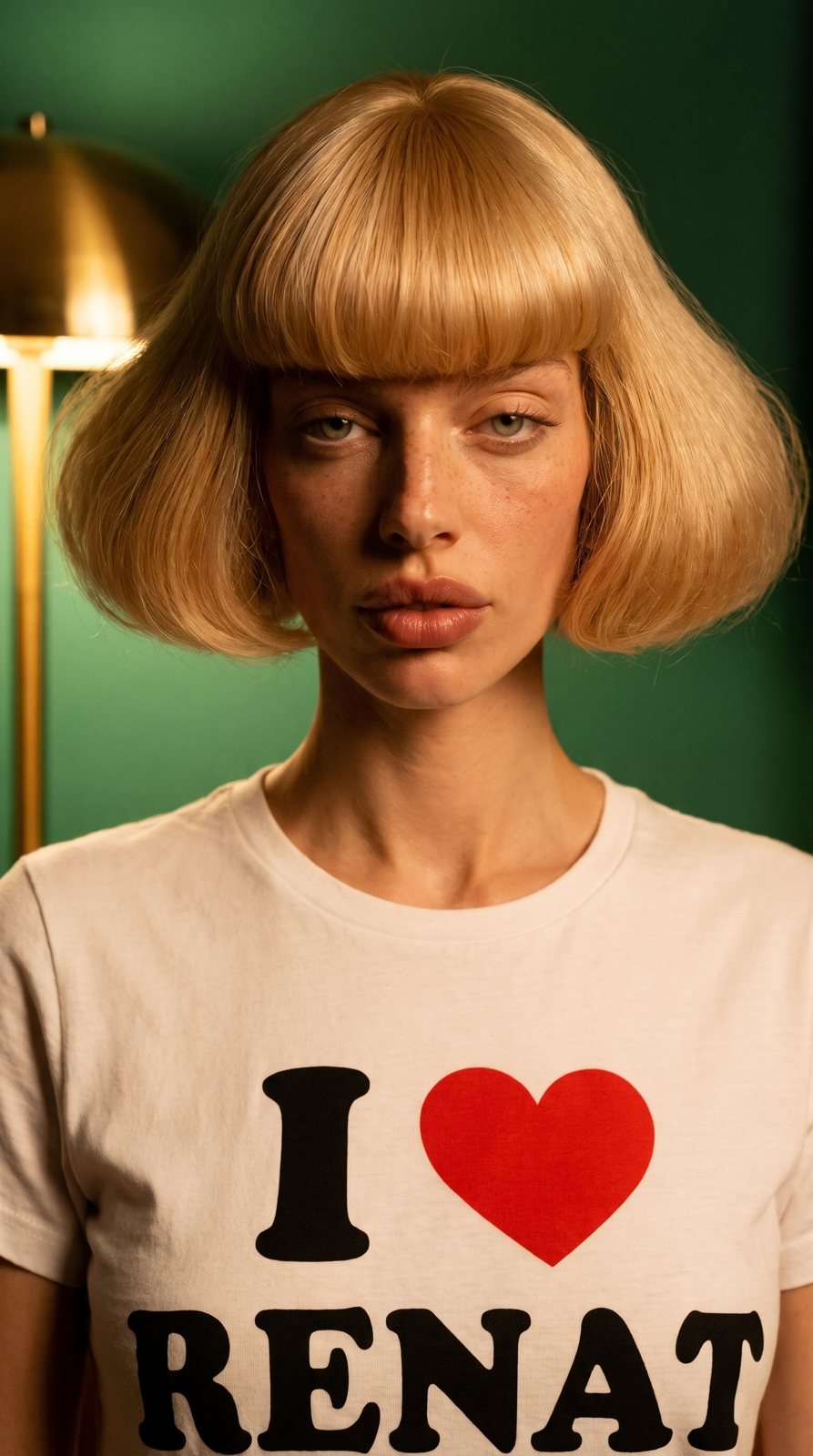
## 1. Two photos, not a sheet
Give **a clean face close-up** and **a full-body photo**. A front, side and back turnaround sheet looks like a great reference, but video models read it as several people.
## 2. An identity block first
Start the prompt with a fixed block that points at the photo and lists what to keep: the same face, proportions, skin tone, eye colour, eyebrows, moles and tattoos, and **the hair exactly as in the photo**. Never describe the hair in your own words: the model will draw your words, not the photo.
## 3. Framing before everything
A face that is small in the frame drifts. Put the framing first in the prompt: *"medium close-up, her face large in the upper third"*.
## 4. Save the character once
With TikiAPI you can save a person and reuse them by id:
- REST: `POST /v1/characters` with the face and body photos, then `character_id` in any order.
- MCP: `create_character`, then `generate` with `character_id`.
The server puts the photos first and adds the identity block for you.

## 5. Images first, then video
Make the frames with an image model, approve them, then animate each frame as the first frame of a video clip. The face stays because the video starts from your approved image.
## FAQ
### Can I use two characters in one shot?
Yes: `character_ids` takes two people.
### Does it work with any model?
It works with image and video models that take reference images; the limits per model are in `GET /v1/models`.
---
title: "Seedance 2.5 prompts that work: frames, references and timing"
kind: guide
date: 2026-11-17T14:00:00.000Z
updated: 2026-11-17T14:00:00.000Z
author: "TikiAPI Team"
summary: "How to write Seedance 2.5 prompts that do what you mean: start from a frame, give every reference a role, describe motion over time with end states, and control the sound."
url: https://tikiapi.com/blog/seedance-2-5-prompt-guide
tags: ["guide", "seedance", "prompts"]
image: https://cdn.tikiapi.com/blog/2026/11/seedance-2-5-prompt-guide-cover-site.jpg
---
# Seedance 2.5 prompts that work: frames, references and timing
What we learned making real clips with Seedance 2.5.
## Start from a frame when the look matters
If the shot must look exactly like an approved image, send it with `image_mode: "first_frame"`. The clip opens on that frame and only moves from there. Say what must stay: *"keep every face, the clothes, the room and the light unchanged."*
## Give every reference a role
With several reference images, say what each one controls and what not to take from it: *"image 1 is the woman: her face and hair only, not her clothes; image 2 is the room."* For a person, a face close-up plus a full-body photo works; a turnaround sheet reads as several people.
## Write motion as a timeline with end states
Seedance follows time well. Describe what happens and where it ends:
```
0–2 s: she stares into the lens, deadpan, blinks once.
2–4 s: the monster beside her gulps; its belly bulges out; it ends with a small burp.
Camera: static, a very slow push-in.
```
## Control the sound
Seedance 2.5 makes sound with the video. If you will add a voice-over later, ask for effects only: *"no speech, no music, only the sound effects described"*, and name them: *a wet chomp, a cash register ka-ching*. Sound can also be turned off with `audio: false`.
## Short clips or one take
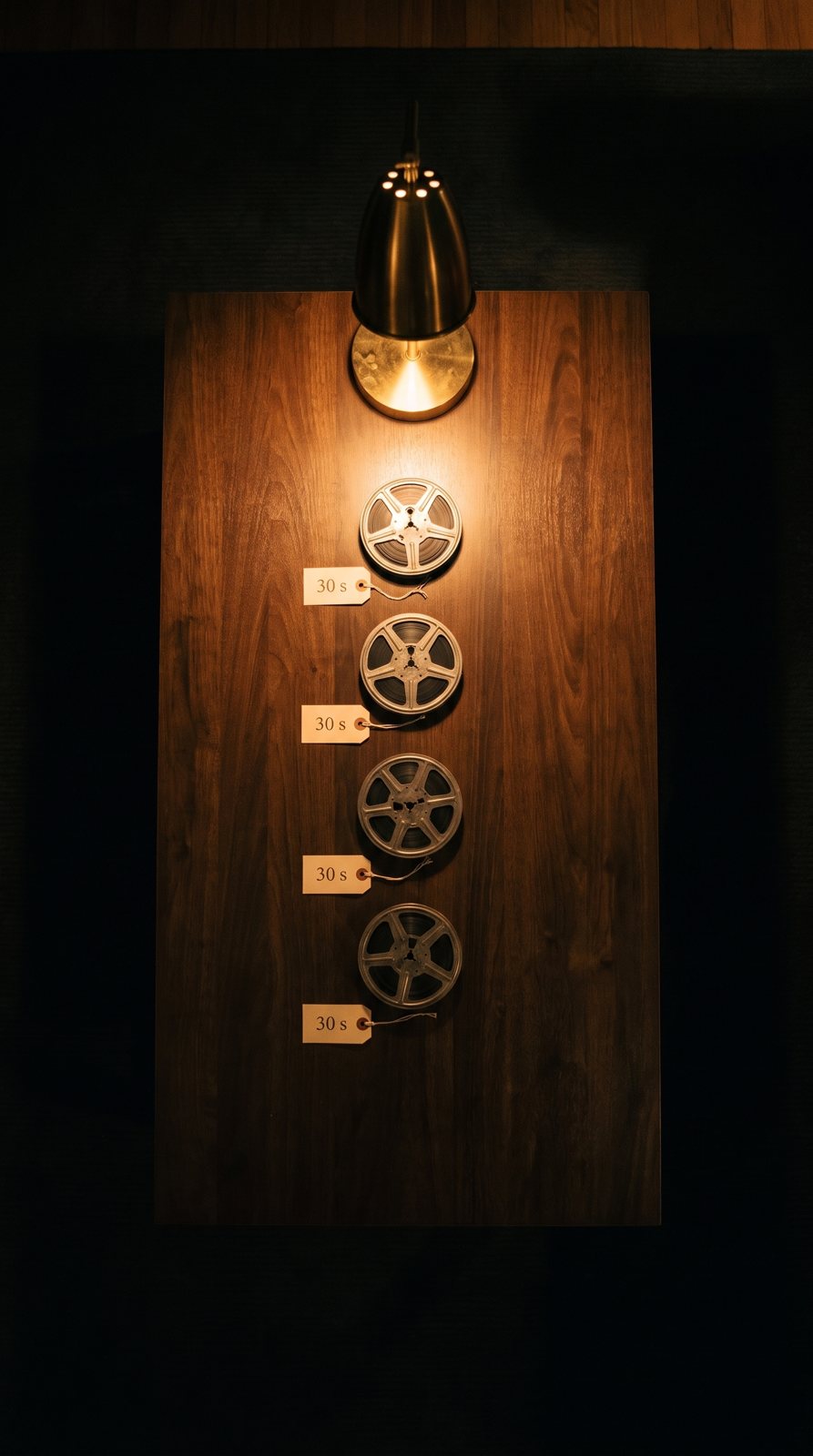
- **Short clips (4–6 s)** from approved frames: exact control, easy to cut.
- **One take (up to 30 s)**: continuous action and dialogue in one scene.
## Check the limits live
Reference counts, lengths and resolutions change as the model updates: always read them from [GET /v1/models](https://tikiapi.com/docs/models), and price the clip with `estimate_cost` before you order.
## FAQ
### How long can a Seedance 2.5 clip be?
Up to 30 seconds at the time of writing; the live limit is in `GET /v1/models`.
### Does a first frame cost extra?
No. The price is per second of the clip; reference videos may be priced differently, see [the live price](https://tikiapi.com/models/seedance-2-5).
---
title: "How we made a 36-second AI ad for under $5"
kind: guide
date: 2026-11-16T21:03:35.570Z
updated: 2026-11-17T00:25:59.246Z
author: "TikiAPI Team"
summary: "Watch the ad, then copy the process: one idea, a script tested on three viewers, 23 frames, nine Seedance 2.5 clips, a directed voice. Real prompts, full bill."
url: https://tikiapi.com/blog/how-we-made-a-36-second-ai-ad
tags: ["guide", "seedance", "ads"]
image: https://cdn.tikiapi.com/blog/2026/11/how-we-made-a-36-second-ai-ad-cover-site.jpg
---
# How we made a 36-second AI ad for under $5
We needed an ad for TikiAPI. No studio, no actors, no camera, no editor on payroll. Just our own API and a bill smaller than a sandwich. Here is the ad first; the rest of this guide is how we made it, with the real prompts.

**What went into it:** 23 stills from Nano Banana Pro, nine 4-second clips from Seedance 2.5, one narrator from Fish Audio Drama 3, word timings from Whisper Large v3. **Total: about $4.94.**
## 1. Kill your ideas until one is left
Our first drafts looked expensive. A gangster-film pub. A heist with a helicopter, a laser vault and a six-legged robot dog. Nobody could say what they were selling. One verdict from our own team: *"I didn't understand the script at all."*
The idea that survived fits in one sentence:
> A subscription is a monster you feed every month. Pay per video instead.
The test is simple: if a child can't retell your ad in one sentence, cut ideas until they can.
We also cut the names. "Kate" and "Raven" mean nothing to a stranger scrolling past; "the creator", "her subscription" and "her friend" explain themselves.
## 2. Test the script before a single frame
Write the script as a table: what we see, what the voice says, what the caption says. Then read it as three different viewers. Each must get the point on their own.
| Viewer | What went wrong | The fix |
|---|---|---|
| A child of eight | Didn't know the word "subscription". Asked whether the four videos were also 30 seconds. | The monster is called "her subscription" in the first line. Every film reel got a "30 s" tag. |
| A scroller, sound off | Would swipe at second 5: two freeze frames in a row, nothing moving. | Action from the very first frame: cash going into the monster's mouth. |
| A listener, no picture | "Two-fifty" and "bye-bye, monster" meant nothing by ear. | "Two dollars fifty", "bye-bye, subscription", and the site said out loud. |
The final script:
| # | Picture | Narrator |
|---|---|---|
| 1 | She stuffs cash into the monster's mouth | "This creator makes AI videos. This is her subscription. She feeds it forty-nine dollars a month." |
| 2 | It spits out four film reels tagged "30 s" | "It gives her four thirty-second videos." |
| 3 | She stares into the lens | "That's twelve dollars a video." |
| 4 | Her friend sips from a tiki mug, a dragon video on her phone | "Her friend pays per video. The same thirty-second video on Seedance AI: two dollars fifty." |
| 5 | The monster packs a tiny suitcase and leaves | "No monthly fee. Bye-bye, subscription." |
| 6 | End card | "Seedance AI video for two-fifty. TikiAPI dot com." |
A rule of thumb that saved us later: about 2.5 spoken words a second. A 4-second shot holds ten words, not twenty.
## 3. Frames first: Nano Banana Pro
Never pay for video on a frame you haven't approved. Every shot started as a still. We fixed the stills until they were right, and only then made clips.
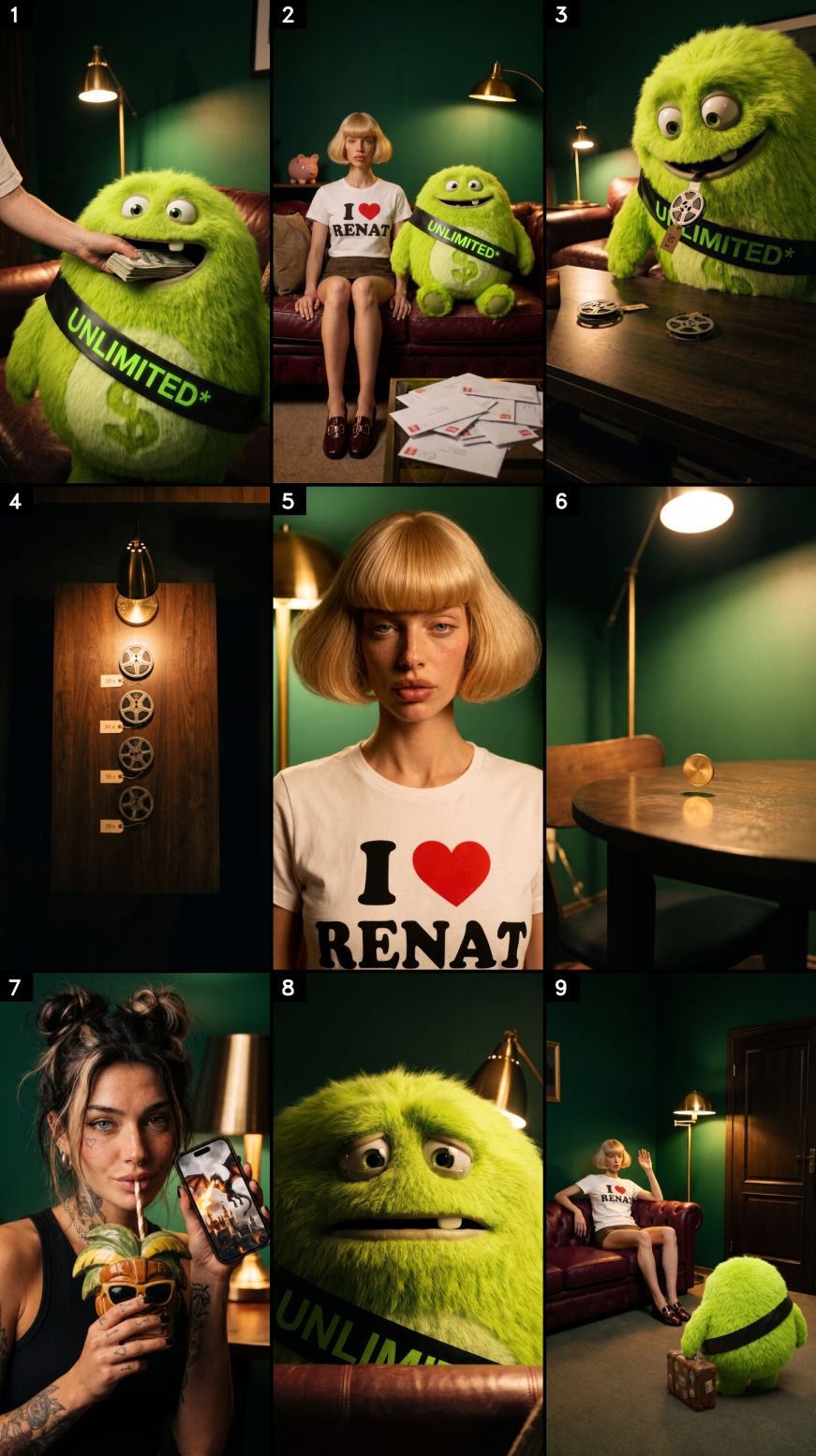
Three things kept the cast identical across shots:
- **An identity block at the start of every prompt.** It points at the face photo and lists what must not change. It never describes the hair in our own words: write "blonde bob" and the model draws *its* blonde bob, not yours.
- **One clean reference per character.** The monster got its own front-view "passport photo", and so did the tiki mug. Every later shot points at those.
- **Framing first, room second.** Describe the set at length and the model drifts to a wide shot of the room. Start with "Close-up from the chest up" and keep the room to one line.
The identity block, word for word:
```prompt
The person in image 1 is the person in this photo. Keep their appearance 100%: the same face and facial features, the same body proportions, skin tone, eye colour, eyebrows, moles, freckles, piercings and tattoos. Their hair stays exactly as in image 1: the same length, volume, texture, colour and parting, worn the same way. Do not beautify, slim, age or restyle them.
```
The monster has one too, and it says what the monster must never become:
```prompt
The creature in image 2 is this monster: keep it 100%: the same shaggy, furry bright neon lime-green coat (like a highlighter, never dark green, never smooth or rubbery), the same big round eyes, the same gap tooth, the pale-lime belly patch with a dollar sign, and the glossy black satin sash with neon lime letters 'UNLIMITED*'. Exactly one monster.
```
And one "look" line goes at the end of every prompt, so all 23 stills share one grade:
```prompt
Look of a modern British crime comedy: low-key, about two-thirds of the frame in deep shadow; rich black shadows that stay neutral to slightly warm, never green or olive; midtones warm cognac and brick orange; highlights soft golden amber, never clipped; light only from small warm tungsten pools of brass lamps, hard and from the side; saturated burgundy, cognac and gold; fine 35mm film grain. No watermark, no logos.
```
**23 stills, references and retakes included: $1.87.**
## 4. Clips: Seedance 2.5, one frame at a time
Each clip opens **exactly** on its approved frame (`image_mode: first_frame`) and runs 4 seconds at 720p. Press play: the cover below is the frame we approved, and the clip starts right on it.

The prompt has two parts: what moves (with the sounds in angle brackets), then what must not change.
```prompt
The hand pushes the wad of dollar bills deeper into the monster's mouth; the mouth snaps shut on it, the cheeks bulge, the eyes widen with greed, one loose bill flutters down. Camera: a quick snap push-in.
Start exactly from image 1 and keep everything in it unchanged: every person's face, hair and clothes, the T-shirt print, the monster's neon lime-green fur and its sash, the room and the light. No speech, no dialogue, no voices, no music: only the sound effects described. No subtitles, no captions, no new text. Photoreal, cinematic.
```
"No speech" matters. The narrator comes later in one voice; lines the video model invents would fight it.
The request:
```bash
curl https://api.tikiapi.com/v1/generations \
-H "Authorization: Bearer $TIKIAPI_KEY" \
-H "Content-Type: application/json" \
-d '{
"model": "seedance-2.5",
"prompt": "The hand pushes the cash deeper into the mouth of the monster; the mouth snaps shut. Start exactly from image 1 and keep everything in it unchanged. No speech, no music.",
"images": ["https://example.com/frame-1.jpg"],
"image_mode": "first_frame",
"duration": 4,
"aspect_ratio": "9:16",
"resolution": "720p"
}'
```
Why 4-second clips? Each one is a single shot that the edit cuts anyway, and a bad one costs 34 cents to redo, not the whole ad.
**9 clips: $3.06** ($0.34 each).
## 5. A narrator who acts, not reads
Same words, same model (Fish Audio Drama 3), two takes. Take 1 has a voice described in one line and the text read straight:

Take 2 has a trailer voice and an emotion cue before every sentence. This is the one in the ad:

What we sent for take 2:
```prompt
[a young British woman with a low, husky, confident voice, cinematic like a movie trailer narrator]
[slow, intriguing] This creator makes AI videos.
[dark, tense] This is her subscription.
[building tension] She feeds it forty-nine dollars a month!
[grim] It gives her four thirty-second videos.
[hard hitting] That's twelve dollars a video!
[a smile in the voice] Her friend pays per video.
[rising, epic] The same thirty-second video on Seed-dance AI: two dollars fifty.
[firm] No monthly fee.
[playful wink] Bye-bye, subscription!
[bold] Seed-dance AI video for two-fifty.
[bold, final] Tiki A-P-I dot com.
```
Spell names the way they sound ("Seed-dance", "Tiki A-P-I"), or the voice guesses. Then Whisper gives the start and end of every word, which is what makes the captions pop up word by word.
**Voice and captions: about $0.01 together.**
## 6. The cut: a crime file
The look we picked for the titles is a police case file:
- a freeze frame with a flash on every new character, and "EXHIBIT A" in typewriter yellow;
- each line on a cream paper strip, also in typewriter type;
- prices land as rubber stamps (red for theirs, yellow for ours) with a little camera shake;
- the old price crossed out with a black marker;
- loudness levelled to about −13 LUFS, so it doesn't sound quiet next to other Reels.
Our `edit_video` tool now does the basic assembly on the server: clips in order, the voice track and burned-in captions.
## The bill
| Step | Cost |
|---|---|
| 23 stills, Nano Banana Pro | $1.87 |
| 9 clips, Seedance 2.5, 720p | $3.06 |
| Voice and captions | ~$0.01 |
| **Total** | **~$4.94** |
These are the prices we paid in November 2026; $2.50 for 30 seconds of Seedance 2.5 at 720p is a launch price. [See the live price](https://tikiapi.com/models/seedance-2-5) before you plan your own.
## Make your own
The whole process above is one scenario, `ad-video`, in our [MCP server](https://tikiapi.com/mcp). Connect it to Claude or Cursor, describe your product, and it goes step by step: idea, script, the three-viewer test, frames for your approval, clips, voice, cut. It stops and shows the price before any video is paid for.
## FAQ
### Why 4-second clips and not one 30-second take?
Short clips from approved frames give exact control over every shot, and a bad clip is cheap to redo. A single long take is better for one continuous scene.
### How do you keep the same face in every shot?
One clean reference photo per character and the same identity block at the start of every prompt. It names what must not change and never re-describes the hair.
### Can I do this from Claude or Cursor?
Yes: connect the [MCP server](https://tikiapi.com/mcp) and start the `ad-video` scenario. Every paid step shows its price first.
### What would it cost to make it again?
About the same: the bill above is what we paid for each step. Prices change, so check the [live prices](https://tikiapi.com/pricing) first.
---
title: "Seedance 2.5 for $2.50 a video"
kind: news
date: 2026-11-16T15:02:15.331Z
updated: 2026-11-16T16:13:21.769Z
author: "TikiAPI Team"
summary: "A 30-second Seedance 2.5 video with sound costs $2.50 on TikiAPI until December 31. No subscription: you pay for the seconds you make."
url: https://tikiapi.com/blog/seedance-2-5-launch-price
tags: ["seedance", "video", "pricing"]
image: https://cdn.tikiapi.com/blog/2026/11/seedance-2-5-launch-price-cover-site.jpg
---
# Seedance 2.5 for $2.50 a video
Seedance 2.5 makes up to **30 seconds of video with sound in one take**: dialogue, music and effects included. On TikiAPI it costs **$0.083 a second at 720p**, so a full 30-second video is **$2.50**.
| Clip | 720p | 1080p |
|---|---|---|
| 10 seconds | $0.84 | $2.00 |
| 30 seconds | **$2.50** | $6.00 |
For comparison, the official BytePlus ModelArk price for Seedance 2.5 at 720p is $0.231 a second, or $6.93 for 30 seconds ([BytePlus pricing](https://docs.byteplus.com/en/docs/ModelArk/model-pricing), November 2026).
## A launch price, until December 31
This is our launch price. From January 1, a 30-second 720p video costs $4.00. [See the live price](https://tikiapi.com/models/seedance-2-5).
## No monthly monster
A subscription is a monster you feed every month, whether you make videos or not. Here you top up once and pay only for the seconds you generate. If an order fails, it isn't charged.

We made our own 36-second ad this way: nine 4-second Seedance 2.5 clips, each started from an approved frame. At our own prices the clips came to $3.06. [Watch the ad](https://cdn.tikiapi.com/promo/monthly-monster-en-v5-1080p.mp4).

## Also on sale: Seedance 2.0 and 2.0 Fast
| Model | 15 seconds at 720p | Official price, 15 s |
|---|---|---|
| Seedance 2.0 | $1.00 | $2.25 |
| Seedance 2.0 Fast | $0.75 | $1.80 |
Seedance 2.0 also comes in 1080p: $2.50 for 15 seconds. Both take reference photos, first and last frames, reference video and audio. [See the live prices](https://tikiapi.com/models/seedance-2-0).
## Make your first video
Get a key in the [dashboard](https://tikiapi.com/login), then:
```bash
curl https://api.tikiapi.com/v1/generations \
-H "Authorization: Bearer $TIKIAPI_KEY" \
-H "Content-Type: application/json" \
-d '{"model": "seedance-2.5", "prompt": "A tiki bar at sunset, neon sign flickers on, slow push-in", "duration": 30, "resolution": "720p"}'
```
Or connect TikiAPI to Claude, Cursor or ChatGPT in one click on the [MCP page](https://tikiapi.com/mcp) and just ask for the video.
---
title: "Music and sound effects, by the song and by the second"
kind: news
date: 2026-11-16T15:00:00.000Z
updated: 2026-11-16T16:13:23.794Z
author: "TikiAPI Team"
summary: "Suno V6 songs and ElevenLabs sound effects are now on TikiAPI: two takes of a song for $0.10, effects billed by the second."
url: https://tikiapi.com/blog/music-and-sound-effects
tags: ["music", "audio", "new"]
image: https://cdn.tikiapi.com/blog/2026/11/music-and-sound-effects-cover-site.jpg
---
# Music and sound effects, by the song and by the second
Your video now gets its soundtrack from the same API.
## Songs: Suno V6
Give an idea, your own lyrics or a style, and get **two takes** of a song, with vocals or instrumental, up to 6 minutes long.
- **$0.10 an order**, two songs in it. [See the live price](https://tikiapi.com/models/suno-v6).
- Fields: `prompt` (the idea), `lyrics` (your words; leave them out and the model writes them), `style` (genre, mood, instruments, voice), `instrumental: true` for no vocals, `duration` from 10 to 360 seconds.
```json
{"model": "suno-v6", "prompt": "a sunny tiki-bar surf song", "style": "surf rock, ukulele, upbeat", "instrumental": true}
```
## Sound effects: ElevenLabs v3
Describe the sound and get it back in seconds: a whoosh for a cut, a crowd cheering, rain on a tin roof, a cash register.
- **$0.0025 a second**, so a 5-second effect is $0.0125. [See the live price](https://tikiapi.com/models/elevenlabs-sfx-v3).
- `duration` from 1 to 30 seconds (5 by default).
## For ads
Our ready-made `ad-video` scenario (in the [MCP server](https://tikiapi.com/mcp)) now adds a music bed and effects under the voice-over, then assembles the cut. Both models go through `POST /v1/generations`, like video and images, and failed orders aren't charged.
---
title: "TikiAPI inside Claude, Cursor and ChatGPT"
kind: news
date: 2026-11-16T14:00:00.000Z
updated: 2026-11-16T16:13:25.656Z
author: "TikiAPI Team"
summary: "Connect our MCP server in one click and ask your AI assistant for images, videos, songs and voice-overs. You see every price before anything is spent."
url: https://tikiapi.com/blog/mcp-claude-cursor-chatgpt
tags: ["mcp", "claude", "agents"]
image: https://cdn.tikiapi.com/blog/2026/11/mcp-claude-cursor-chatgpt-cover-site.jpg
---
# TikiAPI inside Claude, Cursor and ChatGPT
Our MCP server lets your AI assistant make media for you: **https://mcp.tikiapi.com/mcp**
## One click to connect
The [MCP page](https://tikiapi.com/mcp) has install buttons for **claude.ai, Claude Code, Cursor, VS Code, Codex and ChatGPT**. You sign in with your TikiAPI account; no key to paste.
## Look first, sign in when you pay
Before you sign in, the assistant can already list the models, check prices with `estimate_cost` and open the ready-made scenarios. Sign-in is asked only at the first paid step. Every paid step shows its price first and waits for your yes.
## What it can do
- **generate**: images, video, songs and sound effects; several orders at once with `wait_for_generations`.
- **Small previews** of every result in the chat, with links to the full files.
- **upload_media**: your own photos and clips, big files by a signed link (no base64).
- **create_character**: save a person once, keep the same face in every picture and clip.
- **speak** and **transcribe**: voice-overs and word-timed captions.
- **edit_video**: reframe for Reels or assemble a cut with music, voice and captions.
## Ready-made scenarios
Ad video from idea to cut, ad script, audience test, consistent character, voice-over with captions, UGC ad, look match, product photo and thumbnail. In Claude Code they are slash commands; elsewhere, ask for `list_scenarios`.
Prefer skills? The same playbooks for Claude Code, Codex and Cursor are open source: [github.com/tikiapi/skills](https://github.com/tikiapi/skills).
---
title: "Voice-overs and captions from the same API"
kind: news
date: 2026-11-16T10:00:00.000Z
updated: 2026-11-16T16:13:27.370Z
author: "TikiAPI Team"
summary: "Text to speech with a voice you describe in words, and transcription with word timings for subtitles, priced per character and per minute."
url: https://tikiapi.com/blog/voice-overs-and-captions
tags: ["voice", "audio", "new"]
image: https://cdn.tikiapi.com/blog/2026/11/voice-overs-and-captions-cover-site.jpg
---
# Voice-overs and captions from the same API
## Voice-overs: Fish Audio drama-3
Describe the voice in plain words, for example *"a young British woman with a low, husky voice, like a movie-trailer narrator"*, and put an emotion cue in brackets before any line: `[whispering] It's here.`
- **$30 per million characters**, which is $0.03 per 1,000. A 30-second voice-over is about 400 characters, so about $0.012. [See the live price](https://tikiapi.com/models/fish-audio-drama-3).
- Clone a voice from 10–30 seconds of clean speech.
- `POST /v1/audio/speech`, or the `speak` tool in our MCP server.
We used it for the narrator of our own ad: one take, with a cue on every line.
## Captions: Whisper large v3
Send a recording and get the text with **a timing for every word**, ready for subtitles that pop word by word.
- **$0.004 a minute**. [See the live price](https://tikiapi.com/models/whisper-large-v3).
- `POST /v1/audio/transcriptions`, or the `transcribe` tool.
Together with video, music and our server-side `edit_video` (reframe, assemble with voice and captions), you can make a whole ad through one API.
---
title: "Seedream 5.0 Pro and Flash: ByteDance image models from $0.018"
kind: news
date: 2026-11-15T13:00:00.000Z
updated: 2026-11-16T16:13:29.384Z
author: "TikiAPI Team"
summary: "ByteDance's Seedream 5.0 Pro and Seedream 5.0 Flash are on TikiAPI: Flash at $0.018 an image, Pro from $0.032, at 1K and 2K."
url: https://tikiapi.com/blog/seedream-5-pro-flash-api
tags: ["images", "seedream", "bytedance"]
image: https://cdn.tikiapi.com/blog/2026/11/seedream-5-pro-flash-api-cover-site.jpg
---
# Seedream 5.0 Pro and Flash: ByteDance image models from $0.018
Seedream 5.0 is ByteDance's image model family, the image side of the Seedance video models.
| Model | 1K | 2K |
|---|---|---|
| Seedream 5.0 Pro | $0.032 | $0.064 |
| Seedream 5.0 Flash | $0.018 | $0.018 |
Prices as of November 15, 2026. [See the live prices](https://tikiapi.com/models/seedream-5-0-pro).
## Pro or Flash
- **Flash** for drafts, storyboards and many variations: the cheapest image on TikiAPI at the time of writing.
- **Pro** for the final picture, and when the image has text on it, like a sign or a label.
## Tip: write text in quotes
When the picture should contain words, put them in quotes in the prompt: `a neon sign that says "OPEN"`.
---
title: "Claude, GPT, Gemini and Kimi through one OpenAI-compatible API"
kind: news
date: 2026-11-14T18:00:00.000Z
updated: 2026-11-16T16:13:31.487Z
author: "TikiAPI Team"
summary: "Nine text models behind one key and one endpoint, POST /v1/chat/completions, with streaming: Claude Opus, Sonnet and Haiku 5.5, Claude Fable 5.2, GPT-6.1 Sol, GPT-6 Astra, Gemini 3.8 Flash, Gemini 4 Argon and Kimi K3.1 Pro."
url: https://tikiapi.com/blog/claude-gpt-gemini-kimi-one-api
tags: ["llm", "claude", "openai-compatible"]
image: https://cdn.tikiapi.com/blog/2026/11/claude-gpt-gemini-kimi-one-api-cover-site.jpg
---
# Claude, GPT, Gemini and Kimi through one OpenAI-compatible API
Text models from four labs answer on one endpoint, **`POST /v1/chat/completions`**, in the OpenAI format, with streaming. Change one field, `model`, to switch.
| Model | Input, per 1M tokens | Output, per 1M tokens |
|---|---|---|
| Claude Opus 5.5 | $2.00 | $10.00 |
| Claude Sonnet 5.5 | $1.00 | $5.00 |
| Claude Haiku 5.5 | $0.05 | $0.25 |
| Claude Fable 5.2 | $4.00 | $20.00 |
| GPT-6.1 Sol | $1.00 | $5.00 |
| GPT-6 Astra | $5.00 | $25.00 |
| Gemini 3.8 Flash | $0.40 | $2.00 |
| Gemini 4 Argon | $1.00 | $5.00 |
| Kimi K3.1 Pro | $1.65 | $8.25 |
Prices as of November 14, 2026. [See the live prices](https://tikiapi.com/pricing).
## Use your OpenAI SDK
```python
from openai import OpenAI
client = OpenAI(base_url="https://api.tikiapi.com/v1", api_key="tk_live_...")
reply = client.chat.completions.create(
model="claude-sonnet-5.5",
messages=[{"role": "user", "content": "Write a 15-second ad script for a tiki bar."}],
)
print(reply.choices[0].message.content)
```
## One balance for everything
The same key and balance pay for text, images, video, voice and music, so an agent can write the script with Claude and make the video with Seedance in one flow.
---
title: "Gemini Omni 1.2 Flash: video with sound from $0.045 a second"
kind: news
date: 2026-11-14T15:00:00.000Z
updated: 2026-11-16T16:13:33.252Z
author: "TikiAPI Team"
summary: "Google's Gemini Omni 1.2 Flash is on TikiAPI: 3 to 15 seconds of video with sound, 720p to 4K, at about a third below Google's list price."
url: https://tikiapi.com/blog/gemini-omni-1-2-flash-video-api
tags: ["video", "gemini", "google"]
image: https://cdn.tikiapi.com/blog/2026/11/gemini-omni-1-2-flash-video-api-cover-site.jpg
---
# Gemini Omni 1.2 Flash: video with sound from $0.045 a second
Gemini Omni 1.2 Flash makes **3 to 15 seconds of video with sound**, from a prompt, a first frame, a first and last frame, or reference images.
| Resolution | TikiAPI, per second | Google list price, per second | 10-second clip on TikiAPI |
|---|---|---|---|
| 720p | $0.045 | $0.07 | $0.45 |
| 1080p | $0.07 | $0.104 | $0.70 |
| 4K | $0.14 | $0.209 | $1.40 |
Google's prices: [Gemini API pricing](https://aistudio.google.com/docs/pricing#gemini-omni-1.2-flash), November 2026. Ours as of November 14, 2026; [see the live price](https://tikiapi.com/models/gemini-omni-1-2-flash).
## When to pick it
- You need **4K** video.
- You want a short clip with sound fast and cheap at 720p.
- You have a first and a last frame and want the motion in between.
For long one-take scenes up to 30 seconds, see [Seedance 2.5](https://tikiapi.com/blog/seedance-2-5-launch-price).
## FAQ
### Does it make sound?
Yes, every clip comes with sound.
### How long can a clip be?
3 to 15 seconds; check the current limits in [GET /v1/models](https://tikiapi.com/docs/models).
---
title: "Nano Banana Pro, Nano Banana 2 and GPT Image 2.6 through one API"
kind: news
date: 2026-11-14T12:00:00.000Z
updated: 2026-11-16T16:13:35.065Z
author: "TikiAPI Team"
summary: "Image models on TikiAPI: Nano Banana Pro from $0.08 an image, Nano Banana 2 from $0.035, and GPT Image 2.6 Sunburst and Flare from $0.04, up to 4K."
url: https://tikiapi.com/blog/nano-banana-pro-gpt-image-api
tags: ["images", "nano-banana", "gpt-image"]
image: https://cdn.tikiapi.com/blog/2026/11/nano-banana-pro-gpt-image-api-cover-site.jpg
---
# Nano Banana Pro, Nano Banana 2 and GPT Image 2.6 through one API
Four image models are on TikiAPI, each priced by the picture:
| Model | 1K | 2K | 4K |
|---|---|---|---|
| Nano Banana Pro | $0.08 | $0.08 | $0.11 |
| Nano Banana 2 | $0.035 | $0.055 | $0.08 |
| GPT Image 2.6 Sunburst | $0.04 | $0.08 | $0.08 |
| GPT Image 2.6 Flare | $0.04 | $0.08 | $0.08 |
Prices as of November 14, 2026. [See the live prices](https://tikiapi.com/models/nano-banana-pro).
## Reference images
Send your own pictures with the prompt: a product, a face, a style. Each model's limit on reference images is in [GET /v1/models](https://tikiapi.com/docs/models).
## Made with Nano Banana Pro
The frames of our own ad were made with Nano Banana Pro, then animated with Seedance 2.5:
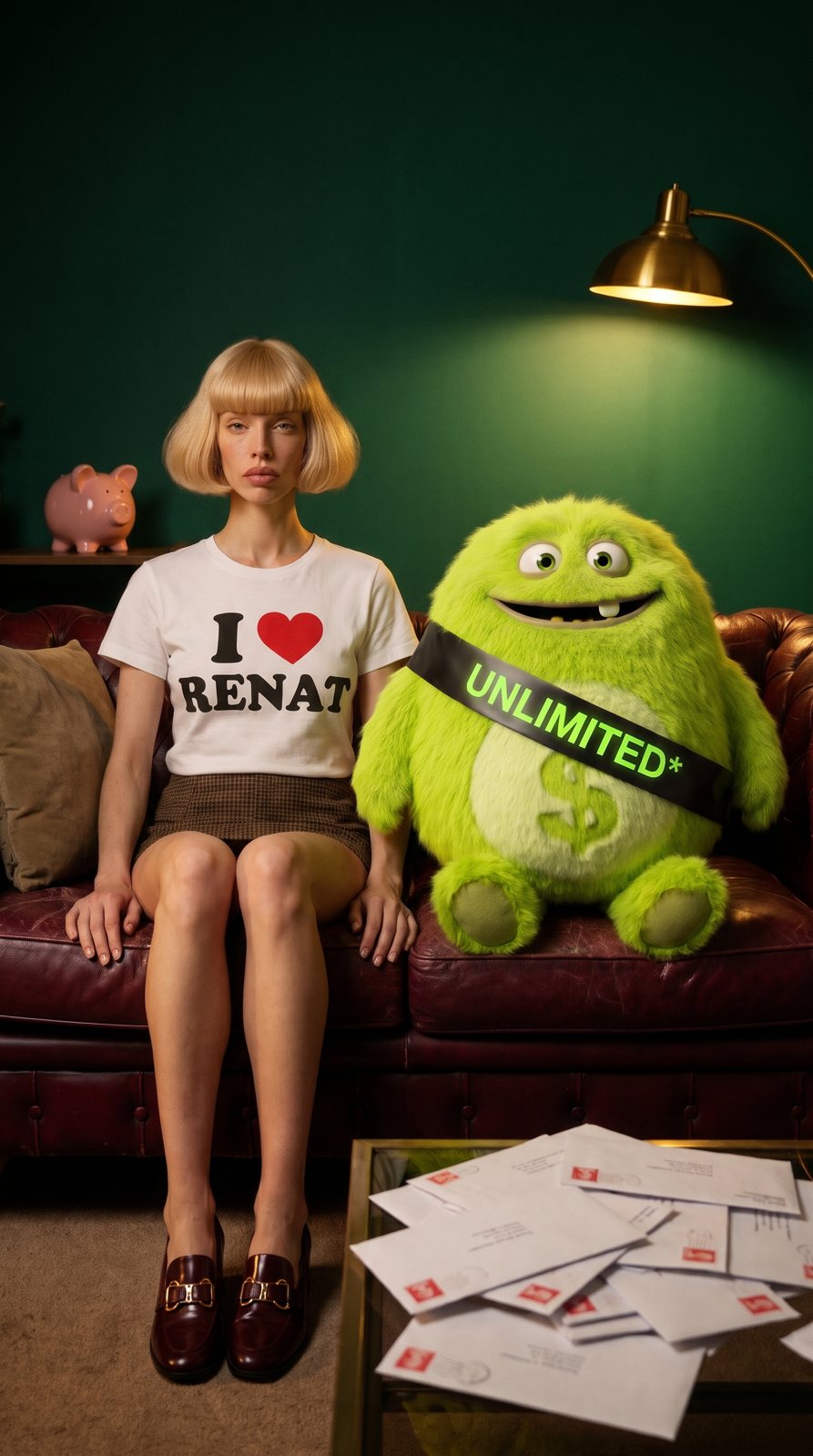
A tip from that work: to keep a face the same from frame to frame, give a clean face close-up and a full-body photo as references, and say which image is the person. We built this into saved characters: `POST /v1/characters`, then `character_id` in any order.
## Order an image
```bash
curl https://api.tikiapi.com/v1/generations \
-H "Authorization: Bearer $TIKIAPI_KEY" \
-H "Content-Type: application/json" \
-d '{"model": "nano-banana-pro", "prompt": "A glossy tiki mug on a bar at night, neon reflections", "resolution": "2K", "aspect_ratio": "9:16"}'
```
---
title: "TikiAPI is open: AI video, images and text through one API key"
kind: news
date: 2026-11-14T09:00:00.000Z
updated: 2026-11-16T16:13:36.953Z
author: "TikiAPI Team"
summary: "TikiAPI sells generation models by the result: video by the second, images by the picture, text by the token. One key, no subscription, the price shown before you order."
url: https://tikiapi.com/blog/tikiapi-is-open
tags: ["launch", "api", "pricing"]
image: https://cdn.tikiapi.com/blog/2026/11/tikiapi-is-open-cover-site.jpg
---
# TikiAPI is open: AI video, images and text through one API key
TikiAPI is a pay-as-you-go API for generation models. One key gives you **video, images and text models** from different labs, and you pay for what you make:
- **video** by the second,
- **images** by the picture,
- **text** by the token.
## How it works
1. Create a key in the [dashboard](https://tikiapi.com/login) and top up once.
2. Ask for the price first: `POST /v1/generations/estimate` returns what an order will cost before anything is spent.
3. Order with `POST /v1/generations` (video and images) or `POST /v1/chat/completions` (text, OpenAI-compatible).
4. Get the result as a link. If an order fails, it isn't charged.
The full list of models, their limits and today's prices is always at [GET /v1/models](https://tikiapi.com/docs/models) and on the [pricing page](https://tikiapi.com/pricing).
## No subscription
Monthly plans make you pay for credits you may never use. Here there is no plan: no monthly fee and nothing that expires at the end of the month.
## Built for agents too
Everything works from code and from AI assistants. Our [MCP server](https://tikiapi.com/mcp) connects TikiAPI to Claude, Cursor and ChatGPT, with ready-made scenarios for ads, product photos and thumbnails.
## FAQ
### Do I need a subscription?
No. You top up and pay per result.
### What happens if a generation fails?
It isn't charged.
### Where do I see current prices?
On the [pricing page](https://tikiapi.com/pricing) and in `GET /v1/models`; prices there are always the live ones.